Event Production Software
Built for designers who build, not just rent.
Track custom builds and rentals side by side. From renderings to load-out, all in one place.


Inventory Management
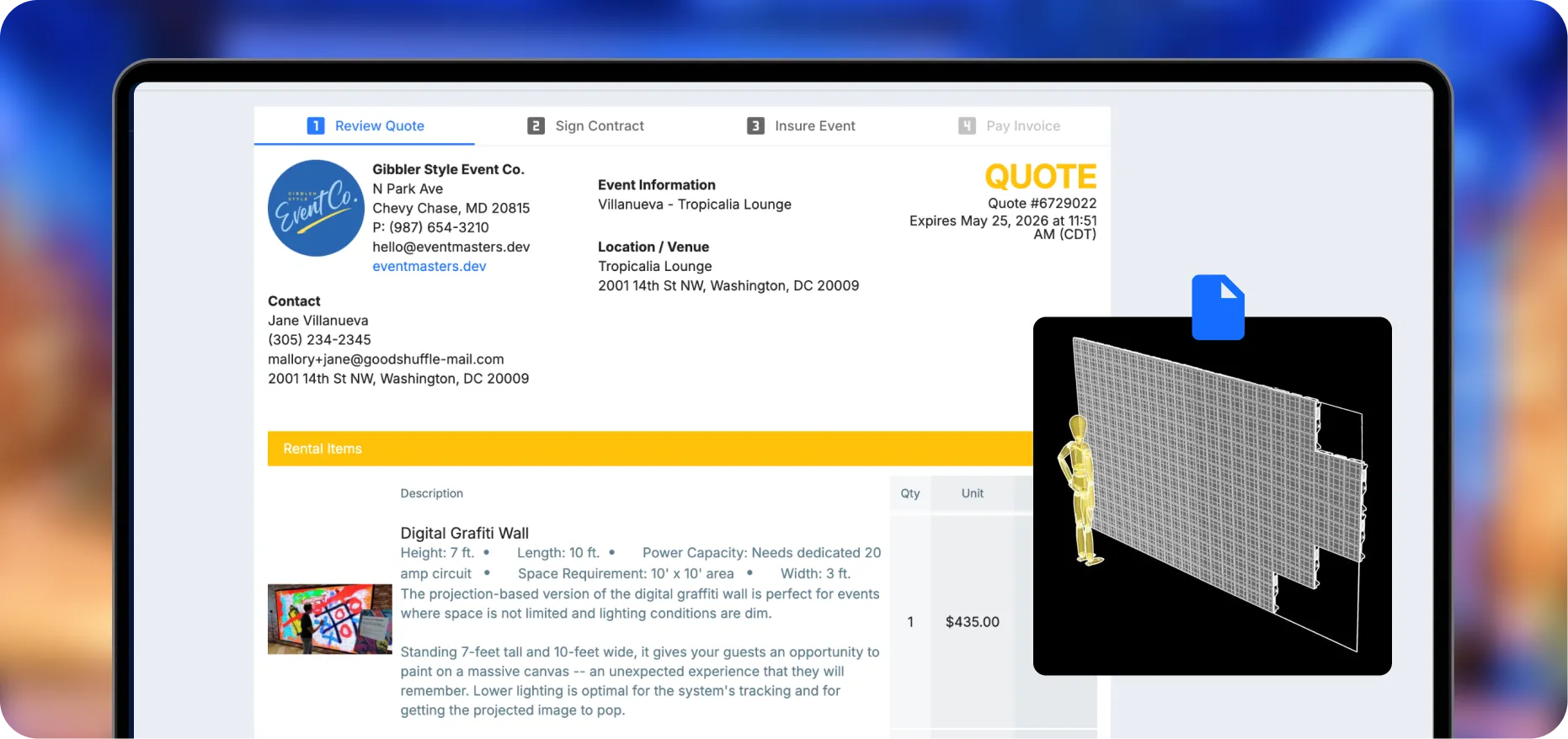
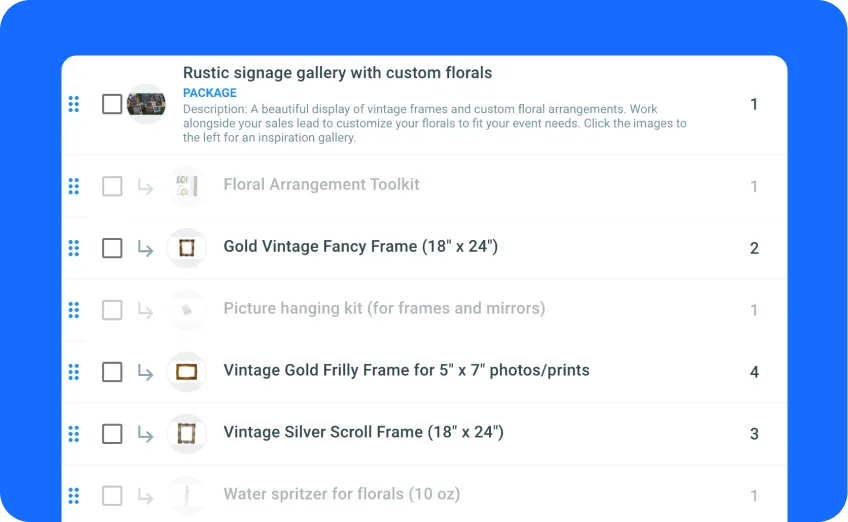
Custom builds, rentals, and scenic in one
Track one-off pieces and standard inventory side by side. Convert custom builds into reusable items when they earn their spot.
Proposals
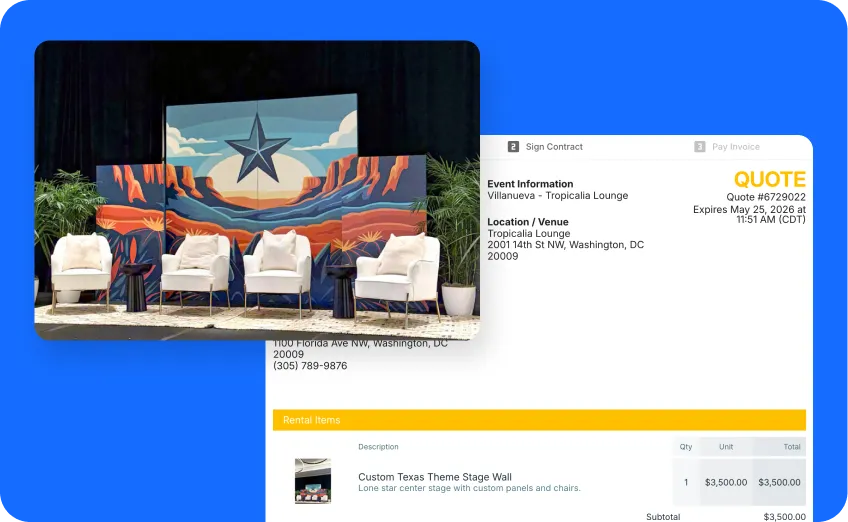
Sell with renderings, not spec sheets
Attach design mockups and reference photos to line items, so clients see the vision behind the price.
Inventory Management
Custom builds, rentals, and scenic in one
Track one-off pieces and standard inventory side by side. Convert custom builds into reusable items when they earn their spot.
Proposals
Sell with renderings, not spec sheets
Attach design mockups and reference photos to line items, so clients see the vision behind the price.
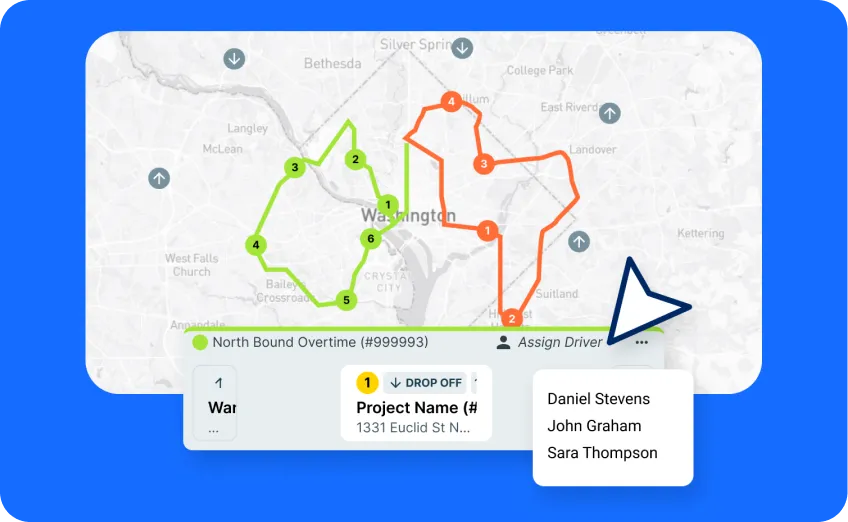
Dispatch
Run multi-stop installs with confidence
Build delivery routes, assign crews, and adapt to last-minute changes across one warehouse or several.
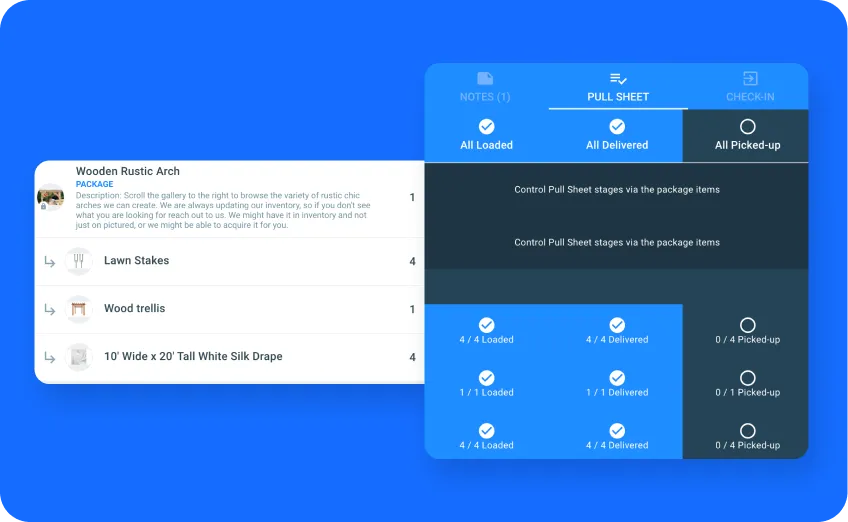
Team Coordination
Keep sales, warehouse, and crews aligned
Consistent categories for warehouse. Custom flexibility for sales. Pull sheets with renderings and every component of the install.
Dispatch
Run multi-stop installs with confidence
Build delivery routes, assign crews, and adapt to last-minute changes across one warehouse or several.
Team Coordination
Keep sales, warehouse, and crews aligned
Consistent categories for warehouse. Custom flexibility for sales. Pull sheets with renderings and every component of the install.
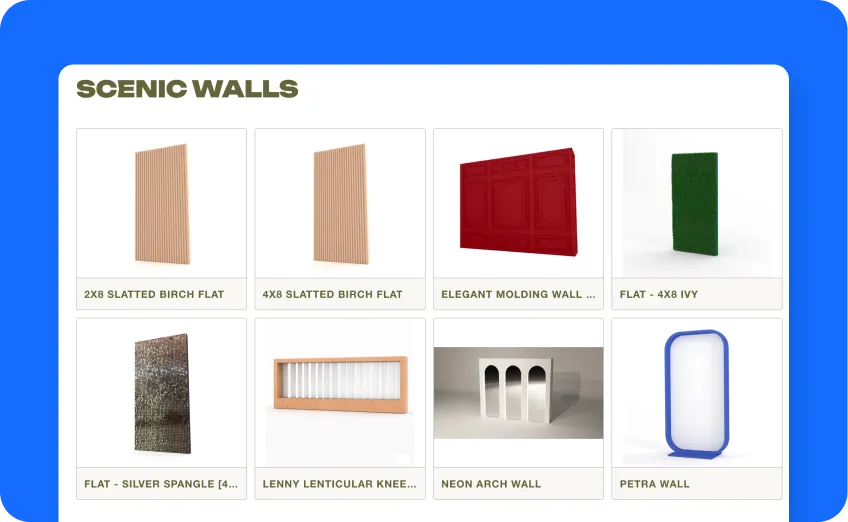
Website Integration
Run multi-stop installs with confidence
Build delivery routes, assign crews, and adapt to last-minute changes across one warehouse or several.
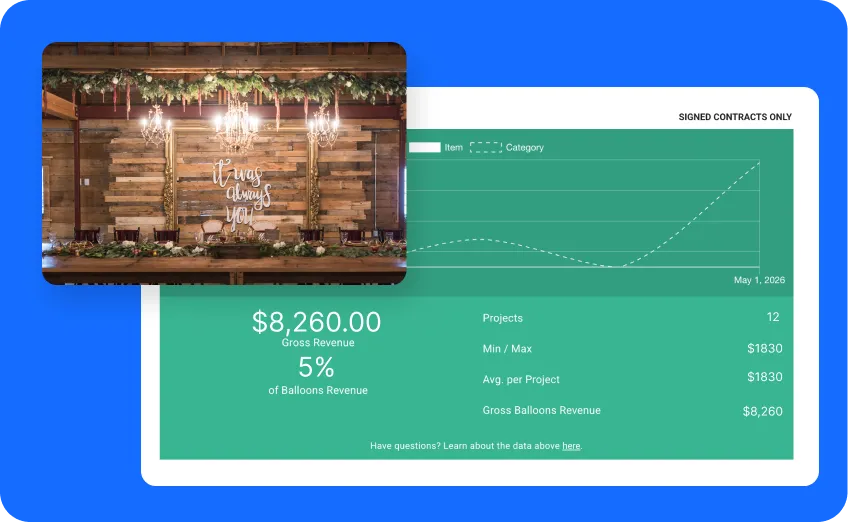
Reports
Know what’s actually profitable
See revenue by event type, client, and package. Spot which custom builds are worth converting to inventory.
Website Integration
Run multi-stop installs with confidence
Build delivery routes, assign crews, and adapt to last-minute changes across one warehouse or several.
Reports
Know what’s actually profitable
See revenue by event type, client, and package. Spot which custom builds are worth converting to inventory.
Fabrication Events
See how Fabrication Events keeps custom builds, rentals, and crews aligned across 1,100+ events a year — without growing headcount.
54
Employees
1,100
Projects managed annually
60,000+
Inventory items tracked

Pick the plan that fits your event business
Compare PlansLite
$
39
39
$
The solo event pro's secret weapon. Manage clients, track inventory, and book gigs with professional quotes from day one.
Included:
 Unlimited Projects, Quotes & Contracts
Unlimited Inventory Items
1 Full User
Conflict Detection
Unlimited Projects, Quotes & Contracts
Unlimited Inventory Items
1 Full User
Conflict Detection
 Chat Support
 Automated Emails
 AI Search (New)
Multi-Language Support (EN/ES/FR)
Client Portal (Coming Soon)
AI Search (New)
Multi-Language Support (EN/ES/FR)
Client Portal (Coming Soon)
Standard
$
99
139
$
Built for growing teams and full-scale event operations. Seamlessly manage your warehouse logistics, delivery schedules, team coordination, and business finances.
Includes all Lite features, plus additional features…
Unlimited Projects, Quotes & Contracts
Unlimited Inventory Items
1 Full User
1 Limited User
Conflict Detection
Digital Pull Sheets
Advanced Inventory (Add-On)
Chat Support
Dedicated Onboarding Specialist
Live Video Trainings
Automated Emails
AI Search (New)
Multi-Language Support (EN/ES/FR)
Client Portal (Coming Soon)
Dispatch with AI Auto Route
Dispatch SMS Notifications (Coming Soon)
Dispatch Weight Tracking (Coming Soon)

Hot tips for event pros, every week.
Real-world advice on running an event rental business — pricing, hiring, busy season survival, and the stuff nobody teaches you.
Your next custom build is coming.
This year, get every rendering, custom item, and load list into one place. See what built-for-production software looks like in 30 minutes.

Frequently Asked Questions
Can I track custom builds without committing them to inventory?
Yes. Build “custom item” or placeholder entries for fabrication work and convert them to reusable inventory only if you decide to keep them after the event.
How do I attach renderings to quotes?
Drop design mockups, reference photos, and renderings into proposals at the line-item or package level. Your client sees the vision; your warehouse sees the load list.
Can I track subrentals separately from owned inventory?
Yes. Tag and report on subrentals separately from owned items, so you know exactly what you’re paying out, what you’re billing, and where your margin is going.
We're coming from legacy rental software — will the transition be hard?
Most teams switching from legacy software are up and running within their first week. You’ll get a dedicated Onboarding Specialist who helps with your data migration, item setup, and team training — no fees, no DIY.
Is Goodshuffle Pro right for my unique business?
We hear it all the time: “My business is a bit unique…” If you don’t feel like you quite fit into the industries we’ve listed, shoot us a chat! We have a flexible platform that’s built for most event companies with inventory.
What are the details of the free 14-day trial?
Your free 14-day trial takes place in a real account with no limitations or restrictions. If you purchase a paid account after the trial (or pause before starting payment), you do not have to start over in a new account. You also get free and unparalleled customer support from a dedicated Onboarding Specialist.
Are there fees for implementation?
No. Implementation support is free.
Are there fees for training and support?
No. Our customer service team offers free, unlimited training & support throughout your entire Goodshuffle Pro experience — not just your trial. It is widely hailed as the best customer service team in the industry.
Are there fees for uploading too much inventory?
No. You can upload unlimited inventory at no extra cost.
Do you serve areas outside the United States?
We currently support companies located in the United States (including Puerto Rico) and Canada, and we’re now accepting a limited number of beta customers in Mexico, the United Kingdom, and Australia. If you’re in one of those beta countries, you can book a demo now.
If we’re not in your country yet, join the beta waitlist and we’ll email you when Goodshuffle Pro opens to beta customers where you are.
Can I use this on mobile devices?
Absolutely! Goodshuffle Pro is completely mobile-friendly so you can access from a cell phone, tablet, or any device with internet anywhere any time. Edit proposals from your kid’s soccer game, or while sipping a margarita on the beach!
How do I get started?
Contact our sales team for a free 1:1 demo. They’ll show you how the product works, answer questions specific to your use cases, then help you set your free 14-day trial account.
Can I import my existing inventory?
Yes. Export your current inventory to Excel, and we’ll import it for you — included free with annual plans. We regularly handle catalogs with 1,000+ items including complex linen collections and tent components.
How long does setup/onboarding take?
2-3 weeks for most businesses, although the timeline depends on your inventory size and team availability. You’ll have a dedicated onboarding specialist and free unlimited training sessions when you select a Standard plan or above.
What languages is Goodshuffle Pro available in?
Goodshuffle Pro is available in English, Spanish, and French, with more languages coming soon. Run your entire business — from quotes to invoices to team communication — in the language that works best for you and your clients. You can switch your account language in your settings at any time.