Most of the hours you spend in Goodshuffle Pro go to two things: building contracts and getting orders out the door. The newest updates are aimed right at both, with faster ways to build quotes and clearer handoffs for your warehouse crew.
Watch a quick video walkthrough, or keep reading for the full breakdown:
Key Takeaways:
-
Reuse a whole setup in one click.
Copy and paste line items and packages across groups in the same contract, with pricing, dates, notes, and tax rates all intact.
-
Edit quantities without the extra clicks.
Change a count inline right on the line item, or update several at once with bulk edit.
-
Give your warehouse a cleaner pull sheet.
Aggregate pull sheets now filter by subcategory, not just primary category, so your crew pulls exactly what they need.
-
Make day-of handoffs smoother.
Add a day-of point of contact in Digital Fulfillment so your delivery crew knows who to call the moment they’re on-site.
Copy and paste line items across groups
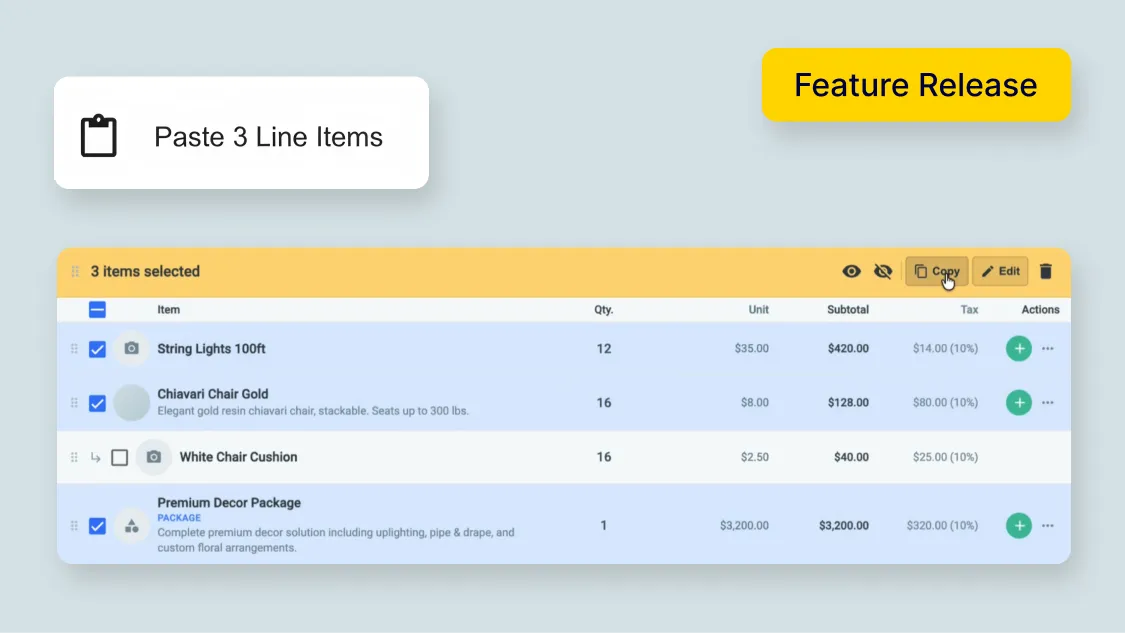
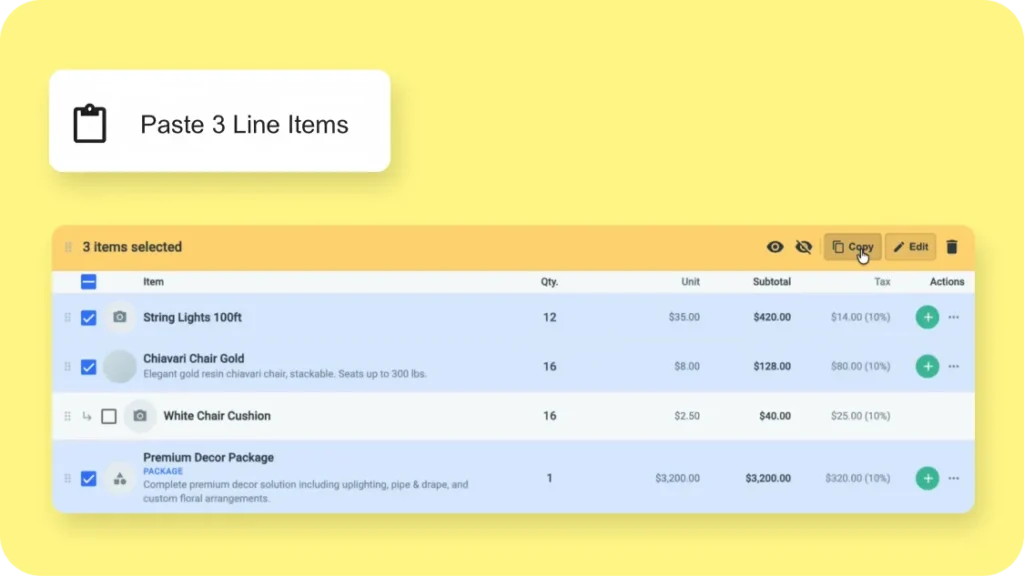
If you build events out of the same combinations of items, you don’t have to rebuild that grouping every time anymore. You can now copy a single line item, a whole package, or a batch of selected items and paste them into another line item group on the same contract. Think of a florist reusing a go-to flower combination, or an event designer who reuses the same tables and chairs.
Why this matters: Reusing a setup in a click means a lot less rebuilding, and everything comes along with it. Pricing, dates, notes, and tax rates all stay intact, so nothing reprices on you by surprise. It came straight from user requests.
How to access: Open the three-dot menu on a line item or package and choose Copy (or select several first to copy a batch), then use Paste in the contract editor to drop it into another line item group on the same contract.
Here’s the full rundown.
Faster quantity edits
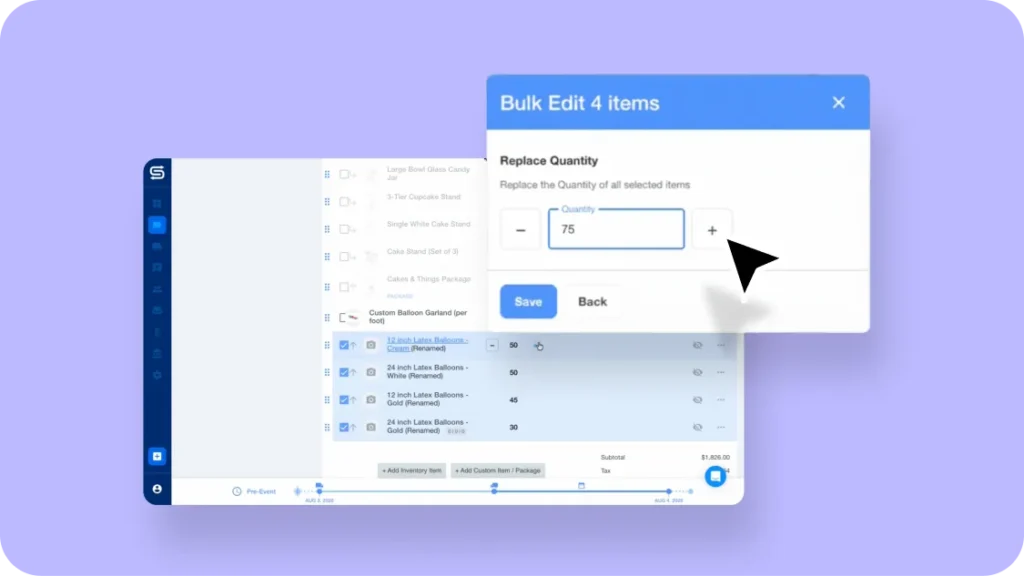
Editing quantities is faster now. Click any quantity field on a line item to edit it inline, no edit panel needed, and use the plus and minus buttons to nudge a count up or down. Need to change several at once? Select multiple line items and update them together from the Bulk Edit modal. Picture a client calling to change their numbers right before the cutoff. You can update the contract on the spot.
Why this matters: Paired with copy and paste, building and adjusting quotes and contracts moves a lot faster, especially when changes come in at the last minute.
How to access: Click a quantity field on any line item to edit it inline, or select several line items and update them from the Bulk Edit modal.
See how the inline and bulk edits work.
Filter aggregate pull sheets by subcategory
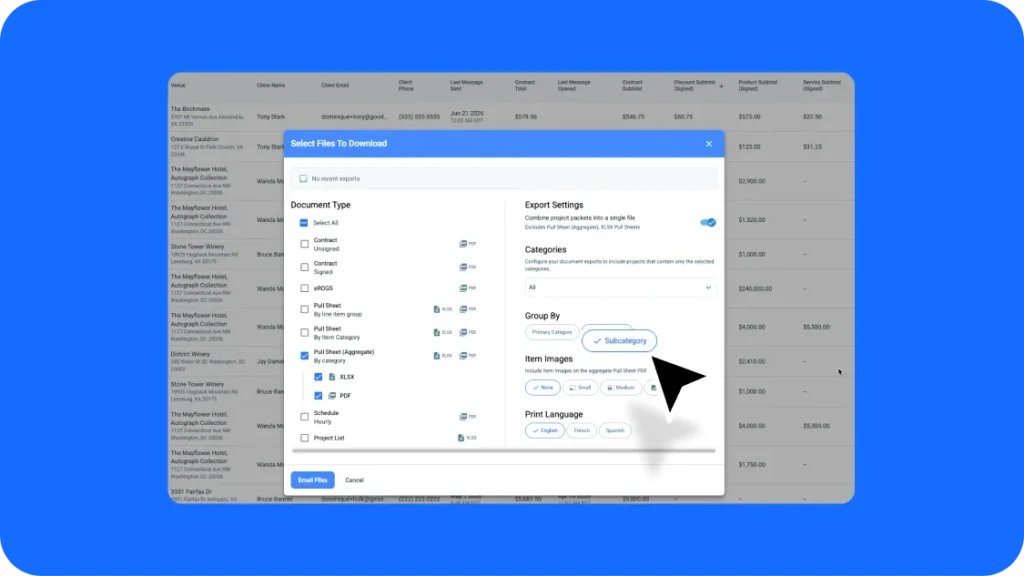
Your aggregate pull sheets now filter by subcategory, not just primary category. So if you only need a specific group of items for an event, your warehouse crew can pull exactly that without scrolling past everything else.
What’s new: Aggregate pull sheets gained a subcategory filter on top of the existing primary category filter, giving your team a more precise pull list.
How to access: Open your aggregate pull sheet → filter by subcategory.
Day of Contact in Digital Fulfillment
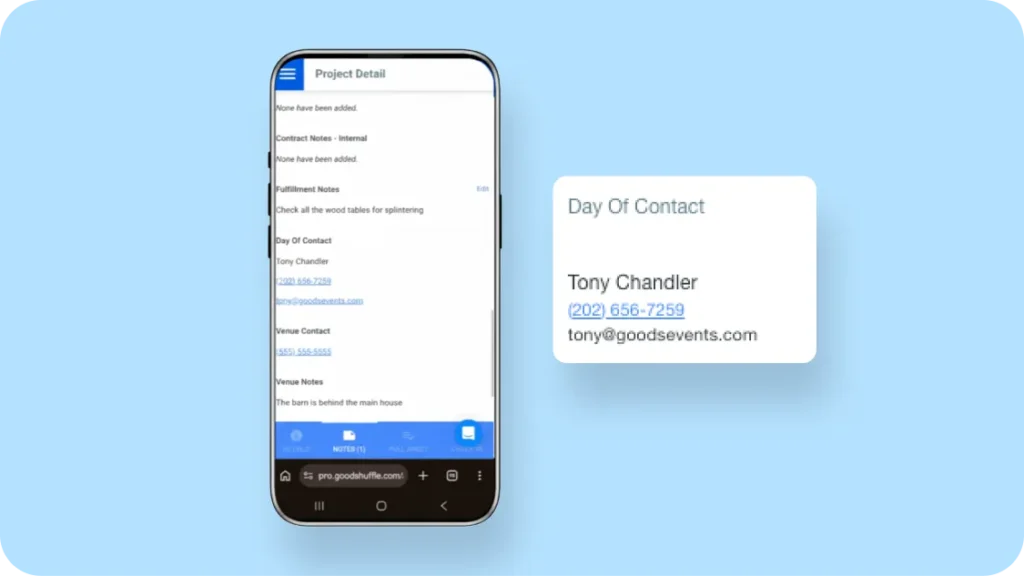
No more fumbling through texts and emails to figure out who to call when your crew is on-site. You can now set a Day of Contact in Digital Fulfillment, so the person handling delivery knows exactly who to reach the moment they arrive. That’s one less hold-up for your client and one less interruption for you.
Why this matters: Clear day-of handoffs keep your warehouse crew moving and your clients confident, without you fielding a call in the middle of another event.
How to access: This one is rolling out to a limited group of users first. If you’re a current user, reach out to your customer success partner to learn more.
A few more fixes and tweaks
We also cleaned up a handful of smaller things across Goodshuffle Pro. The route planner calendar now lines up correctly, drop-off addresses save when they differ from the venue or pickup address, and duplicating a line item group now creates the delivery waypoints for the copied logistics. See everything as we ship it in our News Center.
That's July
Between copying a group in one click and editing quantities on the fly, building contracts takes fewer steps than it did last month. And with cleaner day-of handoffs, your crew spends less time tracking people down and more time getting orders out the door. If you’re already using Goodshuffle Pro, these are live in your account now.
And if you’re not already using Goodshuffle Pro, grab time with us below to get started.
FAQs
Yes. You can copy a single line item, a whole package, or a batch of selected items and paste them into another line item group on the same contract. Pricing, dates, notes, and tax rates all carry over, so nothing reprices unexpectedly.
Click any quantity field to edit it inline, no edit panel needed, and use the plus and minus buttons to nudge a count. You can also select multiple line items and update them at once with bulk edit, which is handy for last-minute changes before a deadline.
Yes. Aggregate pull sheets now filter by subcategory in addition to primary category, which helps your warehouse team pull the exact group of items for an event.
It lets you set a point of contact for an event’s day-of fulfillment, so your delivery crew knows exactly who to call when they arrive on-site. This one is rolling out to a limited group of users first, so reach out to your customer success partner about access.
If you already use Goodshuffle Pro, the contract and pull sheet updates are live in your account now. If you are not a user yet, you can book a demo to see how Goodshuffle Pro helps event pros build quotes, manage inventory, and run events.

Share On