
Event Rental Software for Teams
Stop playing telephone with your team and your client
Every detail your team and clients need, in one place — so nothing gets lost, repeated, or misunderstood on the way to event day.
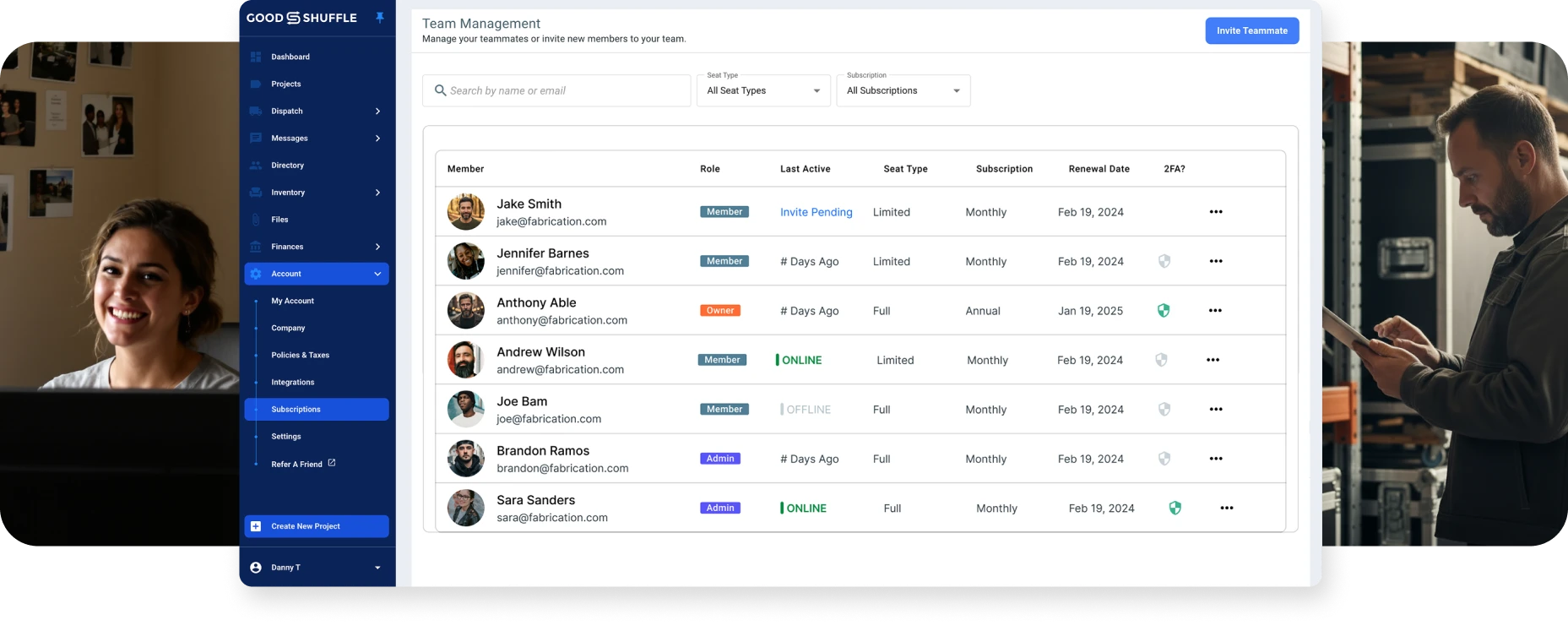
How Goodshuffle Pro helps you coordinate multiple teams
Get your sales and fulfillment teams talking to each other with real-time updates and smooth handoffs.

Step 1
Sign up for a Goodshuffle Pro account with a 14-day free trial.

Step 2
Your free onboarding specialist helps you and your team get set up in fewer than 7 days.

Step 3
Eliminate the chaos that comes with constant event changes: update contracts easily, get client approval & track changes.

Step 3
You’ve confidently delegated the day to day so that you can focus on business growth.
Grow confidently with Goodshuffle Pro
Everything you need to keep multiple teams coordinated as you scale up.
One software that does it all
As soon as your sales team books an event, your warehouse crew instantly sees what to pull. Client specs, special requests, delivery notes are all there, so nothing gets forgotten or mixed up in emails, texts, and printed documents.
Information in Goodshuffle Pro updates in real-time, so your sales people can focus on client calls and contracts, while your drivers execute pickup schedules and your warehouse crew manages inventory for the next big event.
Onboarding is included — our team gets you up and running in 7 days. Then we stay with you: chat support anytime, unlimited training sessions, and access to new features as we release them.
“The Goodshuffle team is an extension of our own & plays a vital role in our structure.”

Stefanny Avera
AE&ES
Bring on help without the headache. Employees and contractors see exactly what they need for their jobs — like instructions on how to set up & tear down inventory — without getting overwhelmed by irrelevant details.
Single source of truth
As soon as your sales team books an event, your warehouse crew instantly sees what to pull. Client specs, special requests, delivery notes are all there, so nothing gets forgotten or mixed up in emails, texts, and printed documents.
Real-time visibility
Information in Goodshuffle Pro updates in real-time, so your sales people can focus on client calls and contracts, while your drivers execute pickup schedules and your warehouse crew manages inventory for the next big event.
Support that scales with you
Onboarding is included — our team gets you up and running in 7 days. Then we stay with you: chat support anytime, unlimited training sessions, and access to new features as we release them.
“The Goodshuffle team is an extension of our own & plays a vital role in our structure.”
Stefanny Avera
AE&ES
New hires get up to speed fast
Bring on help without the headache. Employees and contractors see exactly what they need for their jobs — like instructions on how to set up & tear down inventory — without getting overwhelmed by irrelevant details.
“Everything is finally consolidated together and linked into one easy-to-use system, which helps us avoid conflicts.”
Kimberly Towner
Keith Watson Events
Companies your size run on Goodshuffle Pro
How Paul Hines & his team went from chaos to confidence with one system that keeps 60,000+ items moving.
54
employees
1,100
projects/year
60,000+
items

Questions about Goodshuffle Pro?
How do I make sure my sales team and warehouse are looking at the same information?
Everything updates in real-time across all users. When your sales team updates an order, your warehouse staff instantly sees the changes on their mobile pull sheets. No more printing new sheets or calling to confirm changes.
Can I control what different team members can see and do?
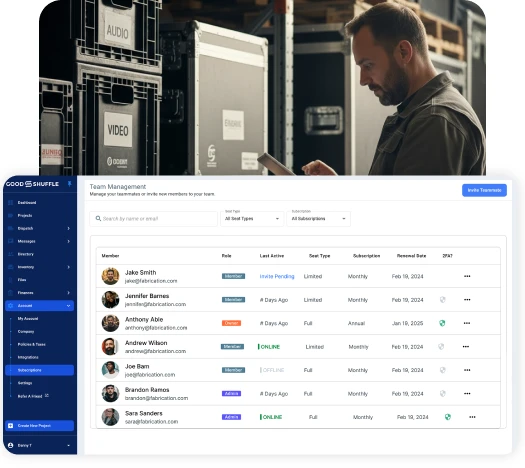
Yes, with role-based permissions. Your sales team can access client information and pricing, while warehouse staff see inventory and delivery details without accessing contracts or financial information. Everyone gets what they need for their job.
What happens when my seasonal workers come on board?
You can quickly add temporary team members with limited access that shows them only their specific tasks and schedules. They’ll get automatic notifications about their assignments and can use mobile pull sheets without needing extensive training.
How do I keep track of what's happening with multiple events at once?
The dashboard and project list give you real-time visibility into all active events. You can see which orders are being packed, what’s out for delivery, and what’s been returned, all updating live as your teams work in the field.
Will this actually reduce the miscommunication between my departments?
Digital pull sheets eliminate the “lost paperwork” problem, automatic notifications ensure everyone knows their assignments, and real-time updates mean no one is working off outdated information. Most event pros see immediate improvement in team coordination.
How long does it take to train multiple team members?
Most warehouse staff are using mobile pull sheets effectively within a day. Sales teams typically need 2-3 days to get comfortable with the system. We provide role-specific training so each team learns exactly what they need for their job.
What languages is Goodshuffle Pro available in?
Goodshuffle Pro is available in English, Spanish, and French, with more languages coming soon. Run your entire business — from quotes to invoices to team communication — in the language that works best for you and your clients. You can switch your account language in your settings at any time.
Grow confidently with Goodshuffle Pro
Everything you need to keep multiple teams coordinated as you scale up.