Table of Contents
February’s updates are built for the whole team.
Whether your crew speaks Spanish, your clients need contracts in French, or your sales manager and warehouse manager need completely different views of the same project list, this month’s releases make it easier for everyone to work the way they need to.
Watch a quick video walkthrough, or keep reading for the full breakdown:
Key Takeaways:
-
Run your entire operation in Spanish or French.
Dashboards, contracts, and help center articles are now available in both languages — so your crew and your clients can work in whichever language they prefer.
-
Save custom project list views for different roles.
Your warehouse manager sees what they need; your sales manager sees what they need. No more one-size-fits-all lists.
-
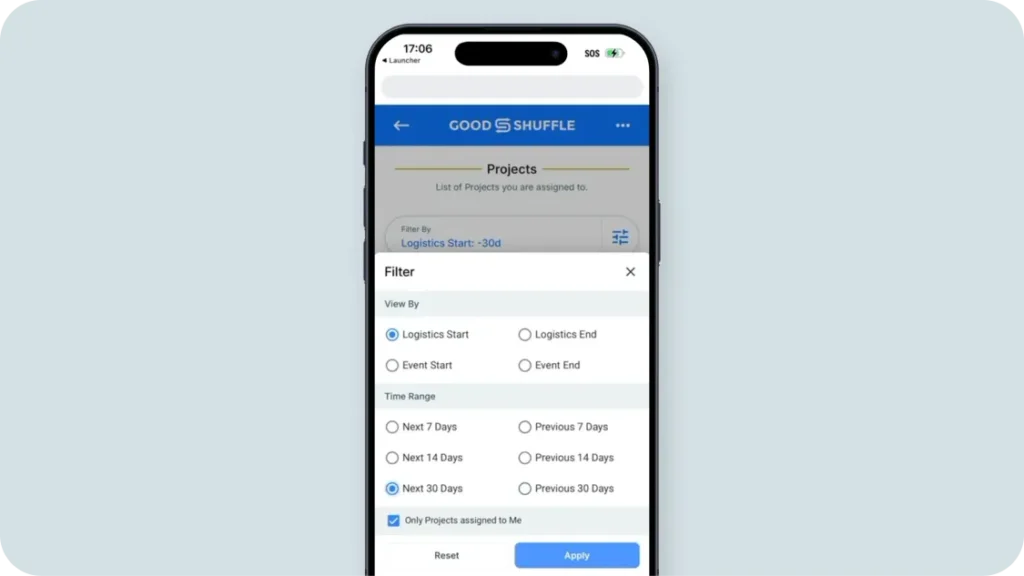
Filter mobile fulfillment by the last or next 30 days.
Plan ahead or review past events on the go without scrolling through your entire project history.
-
Catch Set Aside conflicts before they happen.
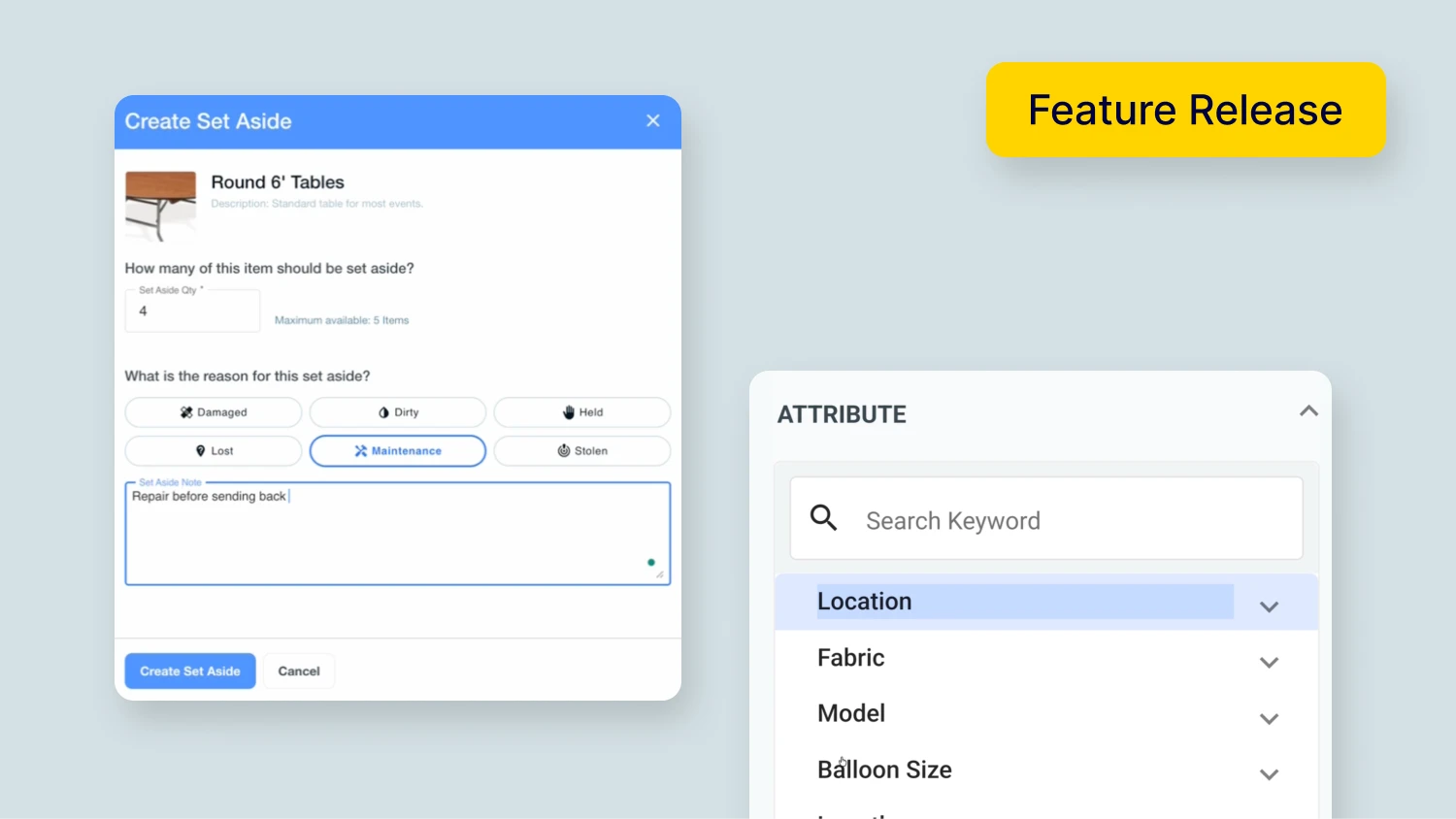
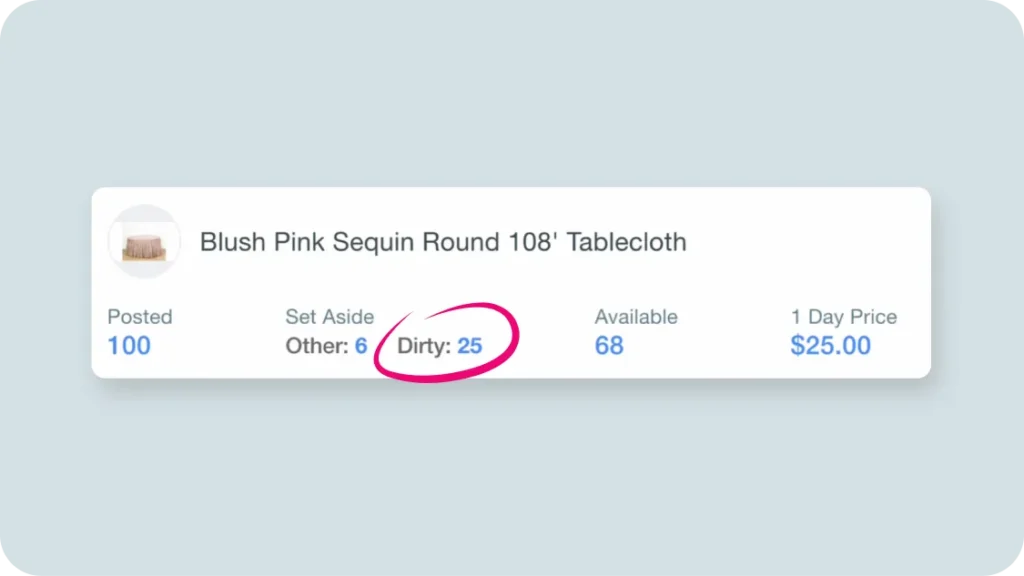
The Set Aside quantity now shows directly in the item title when you’re building a quote or contract.
-
Search inventory your way.
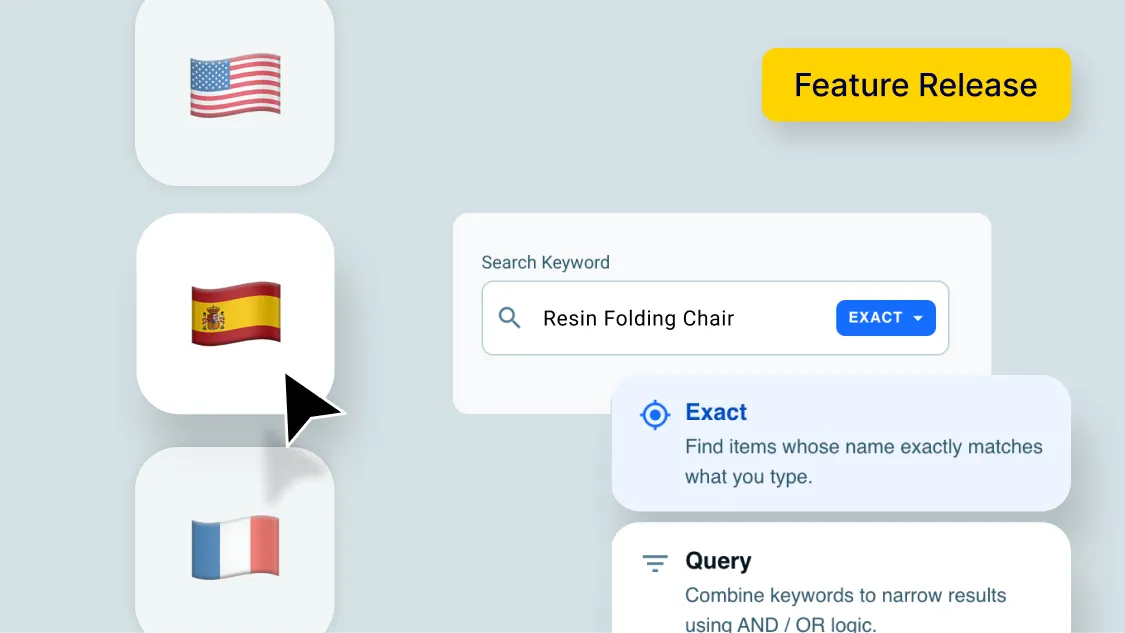
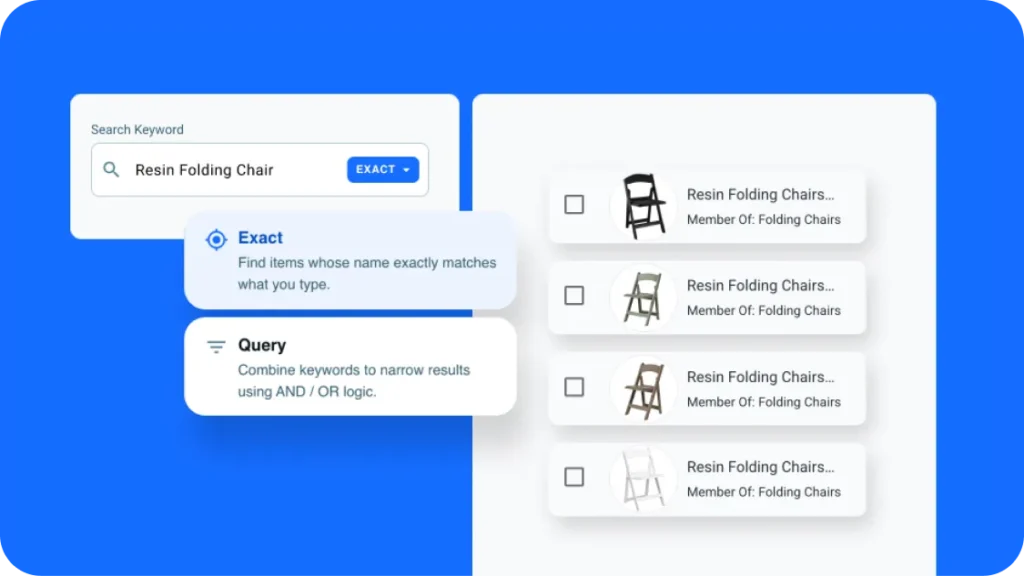
Choose Exact Search for a specific item or Query Search to cast a wider net.
Goodshuffle Pro Now Runs in Spanish & French
If you’ve got team members or clients who work in Spanish or French, this one’s for you.
Goodshuffle Pro is now fully available in both languages across the entire platform — dashboards, contracts, help center articles, all of it. Your crew can navigate the software in their preferred language, and contracts print in whatever language your clients need.
Why this matters:
- Your Spanish or French-speaking crew members can work more independently and efficiently
- Contracts feel professional to clients in their native language
- Help center articles are accessible without a language barrier
How it works: Navigate to your account settings → Select your preferred language → The platform updates across the board. Contracts can be set per client.

Project List Upgrades, Including Saved Views
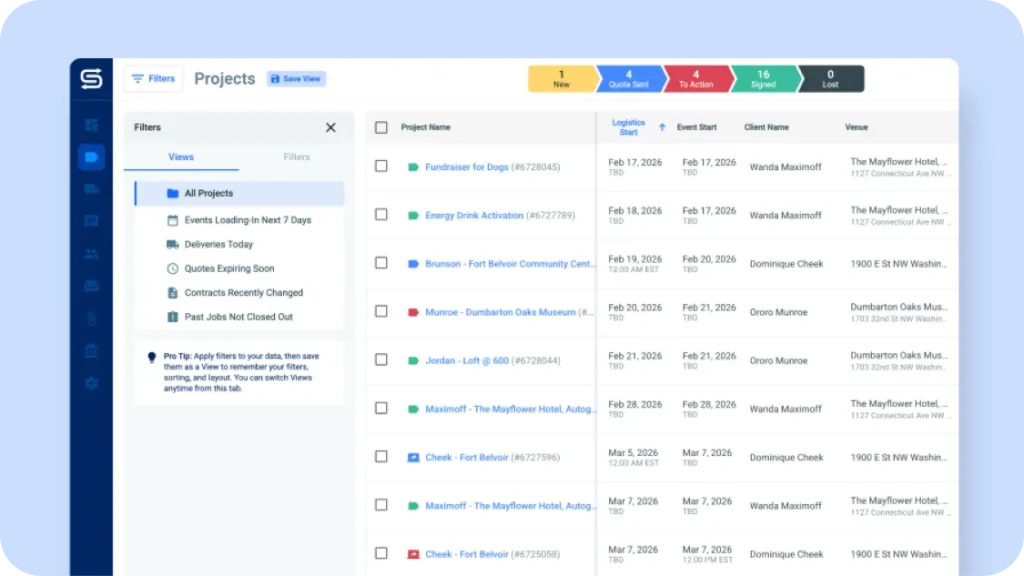
The project list just got a lot more useful for teams where different people need different information at a glance.
What’s new:
- Sticky headers so column labels stay visible as you scroll
- Totals rows at the bottom for a quick summary of what’s across your projects
- Saved views so each role can have a project list built for how they work
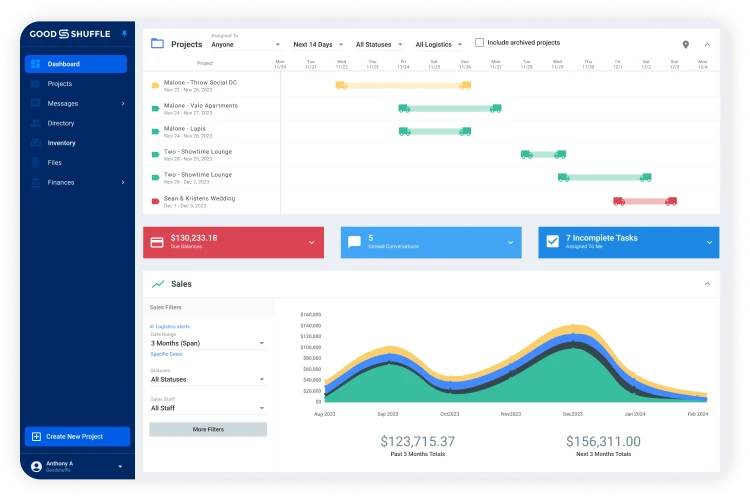
Your warehouse manager can save a view focused on upcoming deliveries. Your sales manager can save a view showing quotes about to expire. Each view stays put, so nobody has to reset filters every time they log in.
How to access: Project List → Adjust your filters and columns → Save view → Name it by role or purpose
Mobile Fulfillment: Filter by the Last or Next 30 Days
This one came directly from customer feedback — and it’s now live.
When you’re managing fulfillment on the go, now you can filter your mobile project list by the last 30 days or the next 30 days, so you can review recent events or plan ahead without the noise.
How to access: Mobile Fulfillment → Project List → Date filter → Select “Last 30 days” or “Next 30 days”
Set Asides: Clearer When You're Building a Quote
Double bookings usually don’t happen because someone wasn’t paying attention — they happen because the information wasn’t visible at the right moment.
Now, when you’re building a quote or contract, the Set Aside quantity shows directly in the item title. You can see at a glance which items are currently set aside, so you can catch conflicts before they become a problem for your client.
How to access: Open any quote or contract → Add or review line items → Set Aside quantity appears in the item title automatically
Enhanced Inventory Search: Exact or Query
Finding the right item in a large inventory catalog shouldn’t slow down your quoting process.
Now you can choose between two search methods depending on what you need:
- Exact Search returns results that match the specific item name you type
- Query Search expands your results so you can browse related options
If you know exactly what you’re looking for, Exact Search gets you there faster. If you’re not sure how an item is named in your catalog, Query Search gives you more to work with.
How to access: Inventory search bar → Select search method → Exact or Query
A Sneak Peek at What’s Next
A few things we’re working on that we think you’ll like:
- Timed emails: Automated follow-ups, surveys, and booking reminders that run in the background while you’re focused on your events.
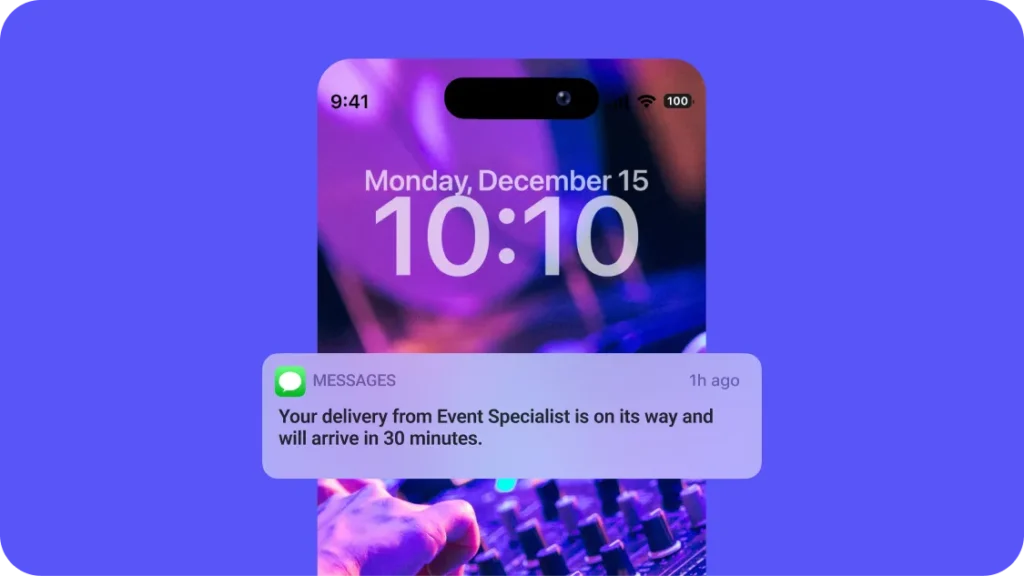
- SMS delivery notifications: TCPA-compliant text updates so clients know when you’re arriving without you sending a manual text.
- Weight tracking: One of the most-requested dispatch features, letting you track weight per load for smarter truck planning.
- Multi-brand support: For companies running multiple business lines with different branding.
If you’re heading to the ARA Show 2026 in Orlando, stop by booth 2834 — we’d love to show you some of these in person before they go live.
We build fast and we build based on what you tell us. Here’s a look at how we decide what to build next.
Want to Try These Updates?
February’s updates expand what’s possible for your whole team — multilingual support, smarter project views, better mobile tools, and faster inventory search, all in one place.
Want to see how Goodshuffle Pro fits into your operation? Book a demo and we’ll walk you through exactly how these features work.
FAQs
Yes. Contracts can be printed or sent in the language your client needs, regardless of your account language settings.
You can save multiple views and name them however it makes sense for your team. There’s no limit, so you can get as specific as you need — by role, by event type, by time period, whatever works.
You can switch between the two whenever you need. Exact Search is great when you know precisely what you’re looking for; Query Search is better when you want to see more options.

Share On