
Table of Contents
-
Stop Creating Every Quote From Scratch
-
Batch Your Communication Windows
-
Systematize Your Inventory Availability Checks
-
Create Standard Operating Procedures for Repetitive Tasks
-
Implement "Set It and Forget It" Payment Systems
-
Streamline Your Delivery and Pickup Logistics
-
Know When to Say No (The Hidden Time-Saver)
It’s 9 PM on a Tuesday, and you’re still responding to quote requests from last week while trying to coordinate Saturday’s deliveries and chase down overdue invoices.
Your phone has been buzzing with “quick questions” all day, your inventory spreadsheet hasn’t been updated since Monday, and you’re pretty sure you promised three different clients the same linens for the same weekend.
If this sounds like your typical evening, you’re not alone. Too many event rental business owners spend 15-20 hours per week buried in administrative tasks — time that should be invested in growing their business, building client relationships, or simply getting home for dinner at a reasonable hour.
Administrative efficiency isn’t about working faster or pulling longer hours. It’s about identifying which tasks deserve your personal attention and which can be systematized, automated, or eliminated entirely.
The rental business owners who’ve cracked this code aren’t necessarily using expensive software or hiring big teams — they’ve just gotten strategic about where they spend their energy.
Key Takeaways:
-
Build templates for your most common events.
Starting with just three event types (like 50-person weddings or corporate events) can cut quote creation from 3 hours to 45 minutes.
-
Protect your focus with communication batching.
Handle all client calls and emails during specific windows (like 9-10 AM and 3-4 PM) instead of responding throughout the day.
-
Create a shared inventory system your team can update.
Real-time visibility across all storage locations eliminates hours spent driving between warehouses or playing phone tag about availability.
-
Write down procedures for weekly repetitive tasks.
Start with vehicle loading checklists and damage assessment protocols so your team executes consistently without constant supervision.
-
Automate your payment collection workflows.
Set up reminder sequences that collect 70% of outstanding payments within 3 days without you lifting a finger.
Stop Creating Every Quote From Scratch
Three hours to create a quote for an event that might not even book? This is where most rental business owners hemorrhage time without realizing it. You’re essentially doing custom design work for every inquiry, rebuilding packages and calculating pricing as if you’ve never done a wedding or corporate event before.
The solution is to build templates for your most common event types. That might look like creating standardized packages for 50-person weddings, 100-person corporate events, and backyard party setups.
You can still customize based on client needs, but you’re starting from a proven foundation instead of a blank page.
This connects to a deeper principle: your expertise has value, and you shouldn’t be reinventing it every time. Create templates for your top three event types this week. Include your most popular item combinations, standard delivery fees, and typical setup requirements. You’ll find that 80% of your quotes can start from these templates, with minor adjustments for specific client requests.
Batch Your Communication Windows
Every time you stop working on a quote to answer a “quick” phone call, you’re losing more than just those five minutes. Research shows it takes an average of 23 minutes to fully refocus on complex tasks after an interruption.
When you’re fielding client calls, vendor questions, and team updates throughout the day, you’re essentially running your brain in first gear all day long.
The most productive rental business owners protect their focus time by batching communication into specific windows. They might handle all client calls from 9-10 AM and 3-4 PM, with email responses at 11 AM and 5 PM. The key is communicating these windows upfront — include your response schedule in your email signature and initial client conversations.
Beyond protecting your focus time, batching also makes you more efficient at communication itself. When you’re in “client mode,” you can knock out five similar conversations in a row rather than switching mental gears between quotes, vendor calls, and team coordination all day long.

Systematize Your Inventory Availability Checks
If you’re still driving between warehouse locations to see what’s actually available, or playing phone tag between team members about inventory counts, you’re burning hours on tasks that technology solved years ago.
The manual inventory shuffle is the difference between rental businesses that feel constantly behind and those that stay ahead of demand.
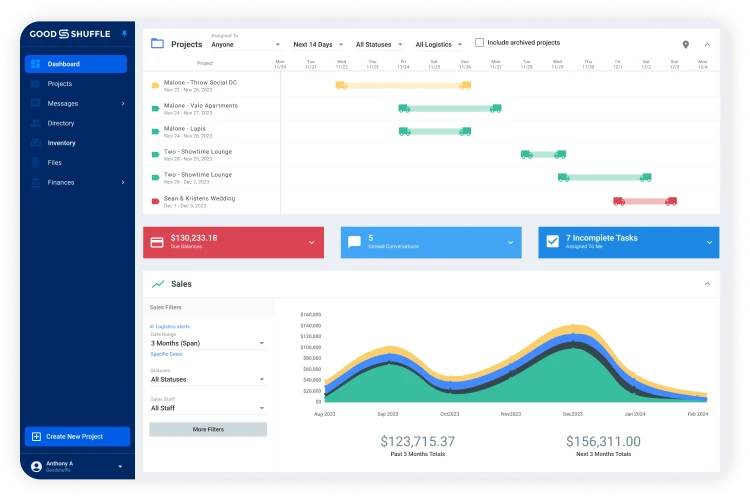
Start simple: create a shared digital system in Goodshuffle Pro that shows real-time availability across all your storage locations. The goal is to answer client questions about availability within seconds, not hours or days.
Once you have that process in place, we recommend implementing barcode scanning for your most valuable items. Scanning items out and back in eliminates the mystery of where things are, who had them last, and what’s actually available for upcoming events.
This small investment in process can cut inventory processing time in half and virtually eliminate the embarrassing situation of promising items you don’t actually have available.
Create Standard Operating Procedures for Repetitive Tasks
Every rental business has tasks that happen the same way, every time: vehicle loading sequences, pre-delivery inspections, damage assessments, and client onboarding processes. Yet most owners find themselves explaining these procedures repeatedly or watching team members reinvent the process each time.
The solution is creating simple, written procedures for any task that happens more than once per week. This is about capturing your best practices so they happen consistently, whether you’re there or not. Start with your most time-consuming repetitive tasks: perhaps the checklist for loading delivery trucks or the step-by-step process for handling damaged items.
Standard procedures dramatically reduce training time for new team members. Instead of shadowing experienced staff for weeks, new hires can become productive within days when they have clear, written guidance for common situations. This means you spend less time on training and more time on revenue-generating activities.
Implement "Set It and Forget It" Payment Systems
Chasing down deposits and final payments manually is like having a part-time job you never wanted.
You’re sending reminder emails, making follow-up calls, and tracking who owes what across dozens of events. This administrative burden often surprises new rental business owners — they expect to spend time on events, not collections.
Automated payment systems change this equation completely. In Goodshuffle Pro, you can set up automatic deposit reminders, final payment notifications, and even overdue notices based on the timeline you set.
Streamline Your Delivery and Pickup Logistics
Route planning might seem like a small detail, but inefficient delivery scheduling can easily consume 20+ hours per week across your team. The last thing you want to do is send drivers back and forth across town, make multiple trips that could be combined, and burn fuel costs that eat into your margins.
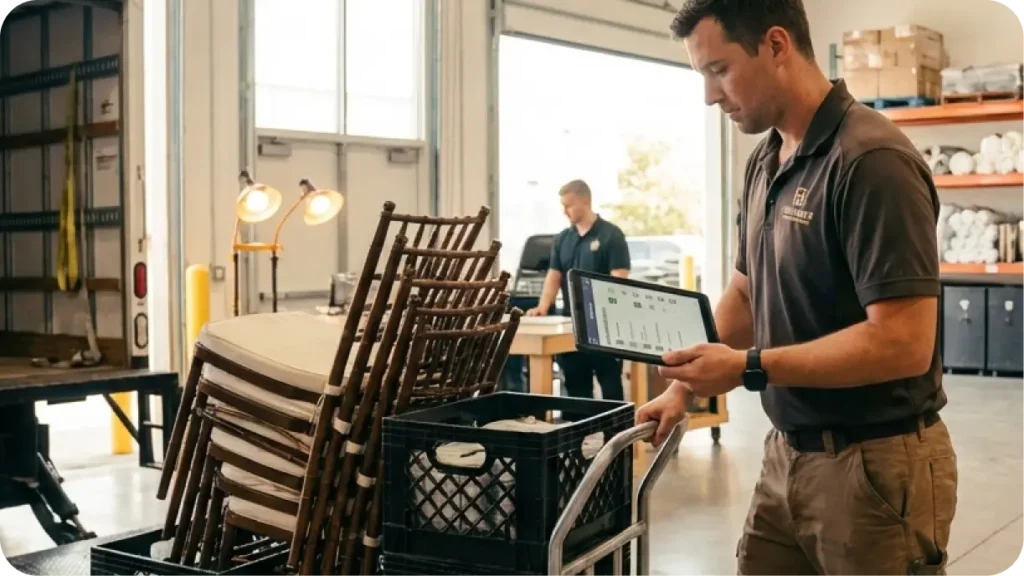
Digital pull sheets accessible from mobile devices eliminate the need to print and distribute paper checklists for each delivery. Your warehouse team can access loading lists from their phones, check off items as they load vehicles, and update inventory status in real-time. This small change prevents the common scenario where items get missed during loading or marked as delivered when they’re still on the truck.
Another time-saver is implementing pre-delivery inspection protocols. By documenting an item’s condition before events (even better if you use an electronic receipt of goods and services), you eliminate disputes about damage charges and reduce time spent on post-event negotiations.
And prevention is always faster than problem-solving after the fact.

Know When to Say No (The Hidden Time-Saver)
This might be the most important section in this entire post: some inquiries aren’t worth your time, and recognizing them early can save hours per week.
Not every potential client is a good fit for your business, and not every event request deserves a custom three-hour quote.
Develop quick qualification criteria for incoming inquiries. If someone’s budget is significantly below your minimum, if they need items you don’t carry, or if their event date conflicts with existing commitments, address these issues upfront before investing time in detailed proposals. A five-minute qualifying conversation can save hours of proposal work.
Also, recognize scope creep in existing clients. When clients request multiple quote revisions, significant changes close to the event date, or extensive hand-holding throughout the planning process, they’re consuming time that should be spent on other revenue opportunities.
Setting clear boundaries and change policies protects your time and helps clients respect your expertise.
FAQs
Creating custom quotes from scratch for every inquiry is the biggest culprit. Most rental owners spend 2-3 hours per quote when they could reduce this to 45 minutes with standardized templates (or less with the right software — Goodshuffle Pro users can create quotes in under 10 mins). This single change can save 10+ hours weekly for busy rental businesses.
Automated payment reminders through your rental software can collect 70% of outstanding payments within 3 days without any manual follow-up. Set up automatic email sequences for deposits, final payments, and overdue accounts to eliminate the daily chase for payments.
No – this fragments your focus and makes every task take longer. Batch your client communication into 2-3 specific windows per day (like 9-10 AM and 3-4 PM) and let clients know your response schedule upfront. This protects your deep work time for quotes and planning.
Start by creating a simple spreadsheet or digital system that shows real-time availability across all your locations. Many rental owners waste hours calling between warehouses or driving to check stock. Use a tool like Goodshuffle Pro to get a real-time pulse on availability.
Track your time for one week and identify your biggest time drains. Most rental owners find quote creation, payment follow-up, and inventory checks eat up the most hours. Start with whichever task currently takes you the longest – that’s where you’ll see the biggest immediate impact.

Share On