Table des matières
-
Recherchez dans votre stock en vous basant sur la description fournie par votre client
-
Votre client voit dans quelle devise il effectue son paiement
-
Retrouvez l'événement à partir de ce dont le client se souvient
-
Des offres exclusives de nos partenaires, désormais disponibles dans votre barre de navigation
-
Un aperçu de la suite des événements
Le User Summit est terminé, et merci à tous ceux qui se sont joints à nous ! Mieux encore, vous n’avez pas besoin d’attendre pour profiter de certaines des fonctionnalités que nous avons présentées sur scène, car elles sont déjà disponibles dans votre compte : la recherche par IA trouve désormais les articles en fonction de la description que donne votre client. Les devis canadiens et mexicains affichent la devise directement sur le montant total. Et vous pouvez retrouver n’importe quel événement simplement en indiquant son lieu.
Nous vous avons également donné un premier aperçu de cinq fonctionnalités qui vont bientôt entrer en phase bêta, et nous avons hâte de vous les faire découvrir. Elles vont d’un CRM entièrement repensé à des tableaux de bord que vous créez en discutant.
Regardez une vidéo de présentation rapide, ou continuez à lire pour une analyse complète :
Principaux enseignements :
-
Recherchez dans votre inventaire en vous basant sur la description fournie par votre client.
La fonctionnalité « AI Search » est désormais sortie de la phase bêta et disponible pour tous les comptes et toutes les formules.
-
Les totaux destinés aux clients indiquent désormais la devise correspondante.
Pour les comptes canadiens et mexicains, les mentions « CAD » ou « MXN » apparaissent dans le total général, le montant du dépôt à verser et le solde dû.
-
Retrouvez l'événement à partir de ce dont le client se souvient.
Recherchez vos événements en saisissant une partie du nom du lieu ou de l'événement.
-
Les offres exclusives de nos partenaires sont désormais disponibles dans votre barre de navigation.
Le réseau de partenaires répertorie les entreprises proposant des offres réservées aux utilisateurs de Goodshuffle Pro.
Recherchez dans votre stock en vous basant sur la description fournie par votre client
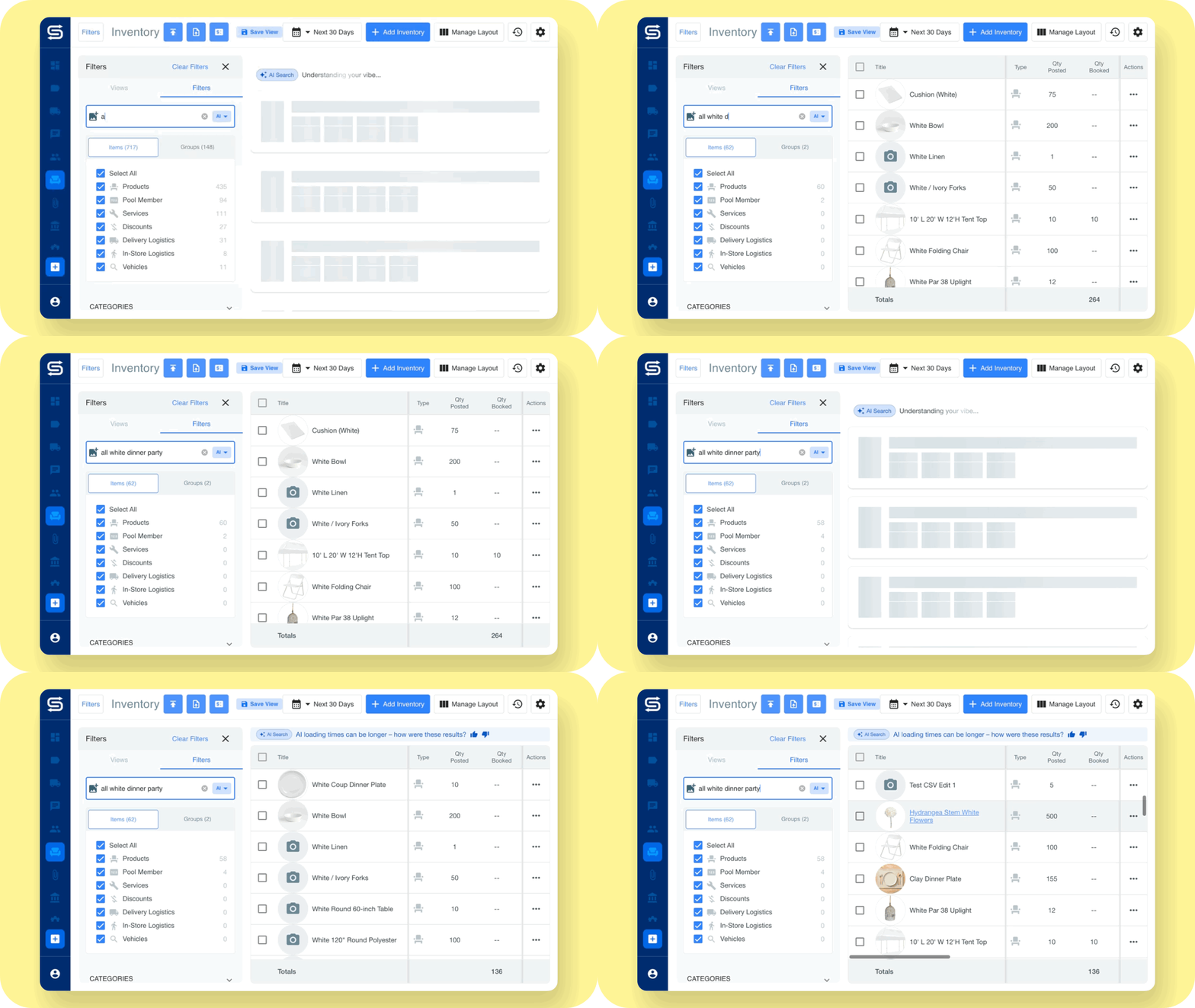
AI Search, la fonction de recherche dans le catalogue de location d'équipements événementiels de Goodshuffle Pro qui effectue des correspondances sémantiques, est sortie de la version bêta et ainsi de suite pour chaque compte. Décrivez un élément comme le ferait un client, même si vous l’aviez appelé autrement il y a trois ans : “ fête d’anniversaire tropicale ”, “ mobilier de salon moderne en velours ”. Lorsqu’un organisateur envoie une photo en disant “ quelque chose comme ça ”, ajoutez la photo à votre présentation.
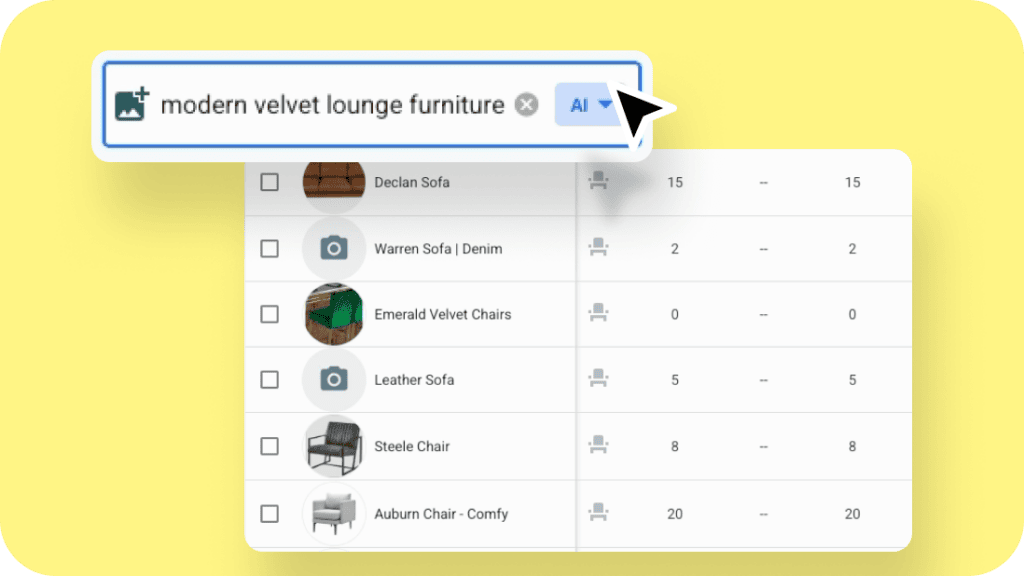
Nouveautés : Elle est incluse dans toutes les formules, avec trois modes dans le inventaire Barre de recherche : IA, Requête et Correspondance exacte. Vous connaissez le nom exact ? Passez en mode « Correspondance exacte » en un seul clic.
Comment y accéder ? Inventaire → cliquez sur la barre de recherche → sélectionnez « IA ». Le Article d'aide sur la recherche par IA présente en détail chaque mode.
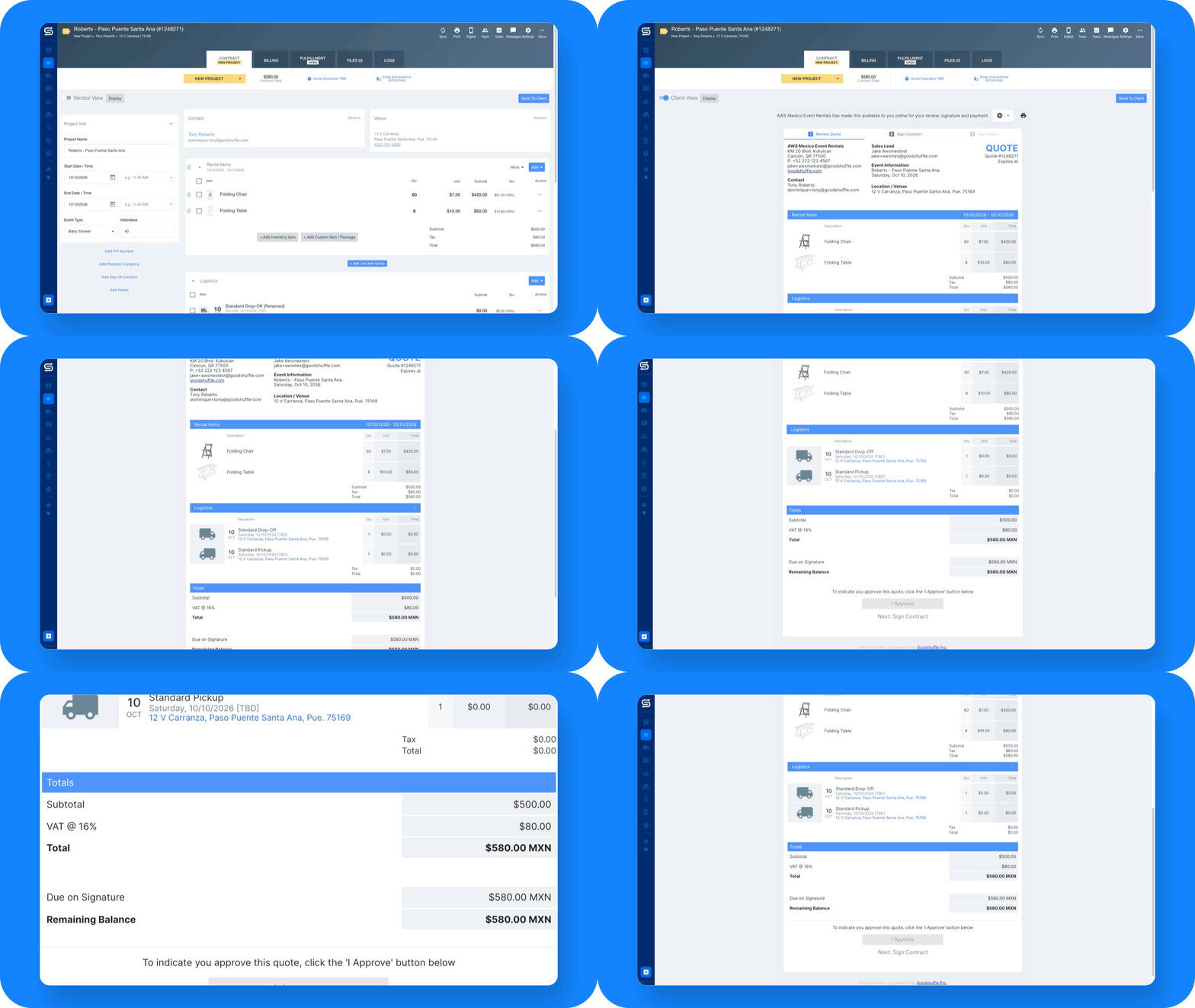
Votre client voit dans quelle devise il effectue son paiement
Imaginez un client qui consulte un devis de $8 000 établi par une agence de location de Toronto. Le montant total, l'acompte à verser et le solde à payer sont tous indiqués en CAD ; il n'y a donc aucun doute sur le montant dû.
Nouveautés : Les comptes canadiens et mexicains affichent désormais « CAD » ou « MXN » dans le total général, le montant à verser et le solde dû des devis, contrats et e-mails de paiement, afin que vos clients sachent exactement ce qu’ils paient. Vous envoyez un devis en espagnol ou en français ? La devise y est également indiquée, y compris pour les dollars américains. Les lignes de détail conservent le simple signe « $ », et rien ne change sur vos propres écrans. Il n’y a rien à activer, et le article d'aide sur les devises montre comment s'affichent les montants.
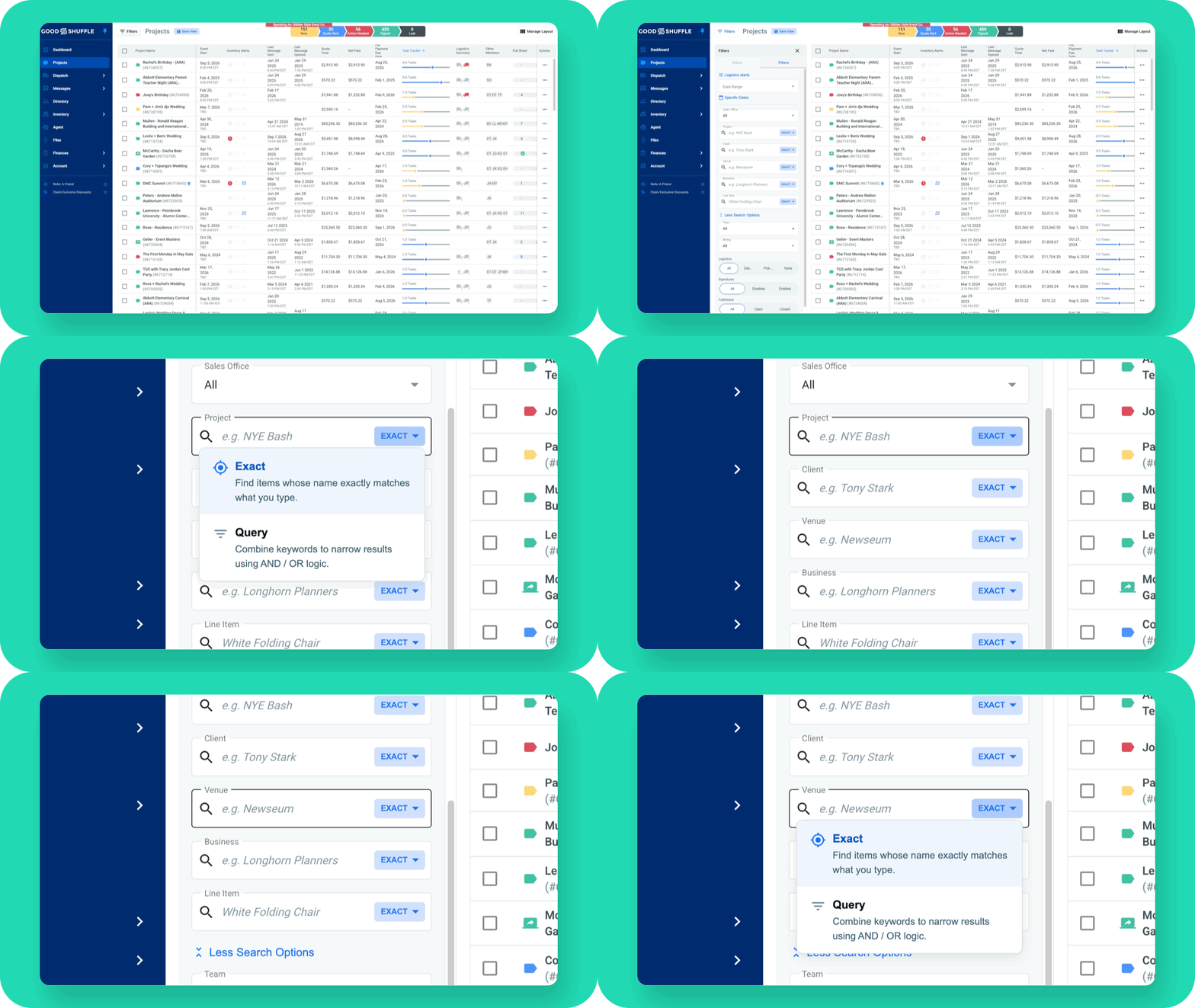
Retrouvez l'événement à partir de ce dont le client se souvient
Vous pouvez désormais rechercher vos événements par lieu ou par nom d'événement dans la fonction “ Recherche par critère ”. Les correspondances partielles sont prises en compte. Tapez « Hilton » et vous verrez tous les événements organisés dans un hôtel Hilton.
Pour les équipes de la Module complémentaire « Dispatch », les paquets acheminés affichent désormais également le nom du lieu à côté de l'adresse.
Comment y accéder ? Projets → barre de recherche → « Recherche », puis saisissez une partie du nom d'un lieu ou d'un événement. Dans Dispatch, les paquets d'acheminement récupèrent automatiquement le nom du lieu.
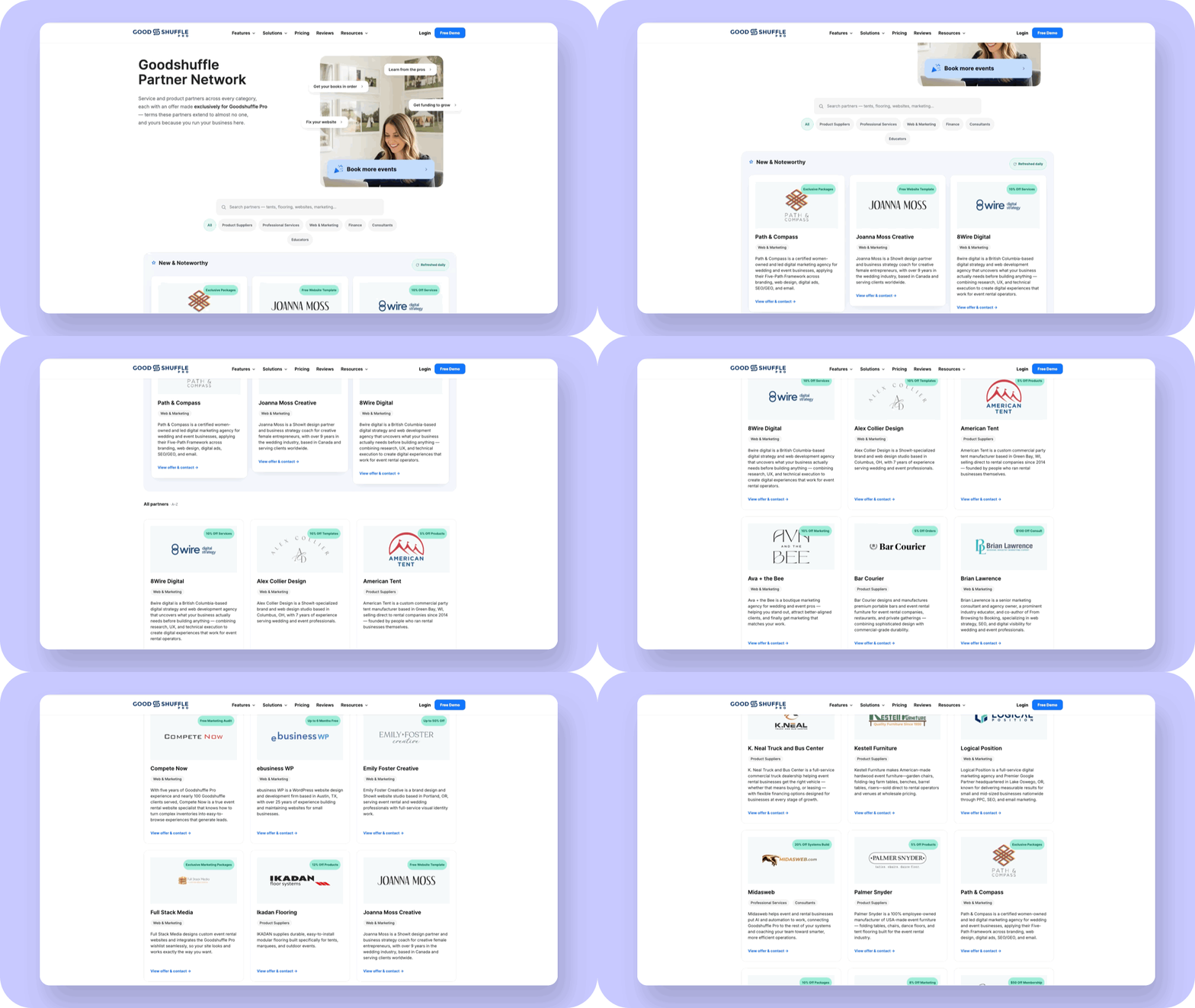
Des offres exclusives de nos partenaires, désormais disponibles dans votre barre de navigation
Les Réseau de partenaires La rubrique que nous avons lancée lors du Sommet figure désormais dans votre barre de navigation. Elle répertorie des fournisseurs de tentes et de mobilier, des agences web et de marketing, des experts-comptables, des consultants et des formateurs, qui proposent tous des offres exclusives aux utilisateurs de Goodshuffle Pro.
Comment y accéder ? Cliquez sur « Réseau de partenaires » dans la barre de navigation pour parcourir la liste des partenaires par catégorie et consulter les offres de chacun d'entre eux.
Un aperçu de la suite des événements
Nous avons présenté ces cinq produits lors du Sommet, et chacun d'entre eux sera d'abord accessible à un petit groupe de comptes bêta. Si vous avez manqué une session, chaque Enregistrement du Sommet des utilisateurs se trouve sur notre site, qu'il s'agisse des tarifs et des marges ou de la mise au point des systèmes utilisés lors de l'exercice d'évacuation incendie de 23 heures.
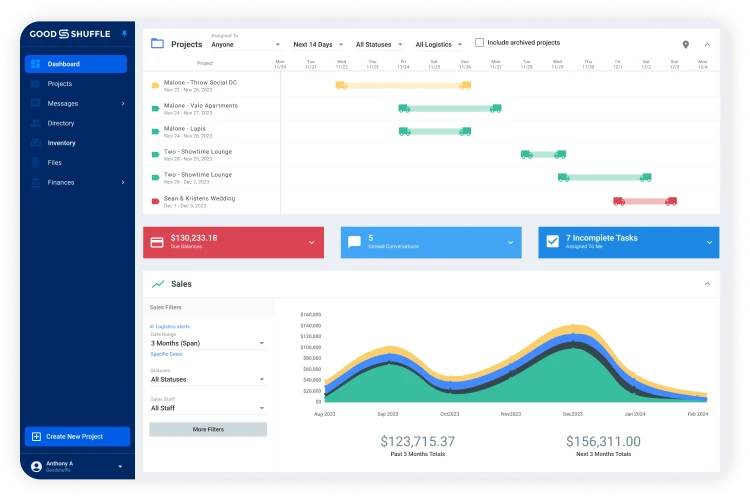
- CRM : Un annuaire remanié comprenant des vues enregistrées, des balises et un suivi de la provenance des prospects, afin que vous sachiez d'où vient chaque client. Les entreprises peuvent exercer plusieurs types d'activité.
- Calcul des coûts par projet : Définissez un budget par catégorie, enregistrez vos dépenses et suivez l'évolution de la marge dans l'onglet « Facturation ».
- Formulaires de prospection : Ajoutez un formulaire sur votre site web, et chaque réponse envoyée sera transférée vers Goodshuffle Pro, où les réponses seront déjà classées au bon endroit.
- Formulaires et documents personnalisés : Créez des contrats d'enlèvement, des demandes d'assurance et des avenants à intégrer dans des e-mails automatisés.
- Rapports sur les agents : Dites-lui ce que vous voulez voir, et il créera le tableau de bord.
En attendant que celles-ci soient disponibles, la fonction “ Recherche IA ” est déjà opérationnelle. La prochaine fois qu’un organisateur vous enverra une photo par SMS en vous demandant « quelque chose comme ça », glissez-la dans la barre de recherche et renvoyez-lui les articles qui correspondent. Si vous êtes celui ou celle qui s’occupe de tout, cela fera une tâche de moins à régler à la fin de la soirée.
Explorer Goodshuffle Pro
Réservez une démonstration pour voir notre logiciel d'organisation d'événements en action.
FAQ
La recherche s'effectue en fonction du sens des noms d'articles, des balises, des attributs et des catégories ; ainsi, la requête “ fête d'anniversaire tropicale ” permet de trouver les articles correspondants même si aucun d'entre eux ne porte exactement ce nom. La recherche s'effectue uniquement dans votre propre catalogue, et plus les noms et les balises sont complets, meilleurs sont les résultats.
Oui. Réglez la barre de recherche sur « Correspondance exacte » ou « Requête ». Utilisez l'une de ces options pour tout sélectionner ou pour exporter, car le mode IA ne le permet pas.
Elle provient du pays dans lequel votre entreprise est implantée. Pour les comptes canadiens et mexicains, les mentions « CAD » ou « MXN » apparaissent dans le total général, le montant de l'acompte, le solde dû et les e-mails de paiement. Vous envoyez un devis en espagnol ou en français ? La devise y est également indiquée, y compris pour les dollars américains.
Non. La recherche par IA, les libellés des devises, la recherche de lieux et le réseau de partenaires sont déjà opérationnels. Pour afficher les noms des lieux sur les dossiers d'itinéraire, il faut disposer du module complémentaire « Dispatch ».
Ces deux services seront d'abord lancés en version bêta auprès d'un petit groupe de comptes. Votre chargé de la réussite client pourra vous en dire plus.

Partager sur