Goodshuffle Pro got quicker, and Google Calendar now catches your changes in seconds, even on an event with hundreds of deliveries. Each person on your team can print quotes, contracts, and pull sheets in their own language. Entertainment and staffing rentals get Service subcategories of their own, and Dominique closes with a sneak peek at Job Costing.
Mira un breve video explicativo o sigue leyendo para ver el desglose completo:
Puntos clave:
-
Your Google Calendar keeps up with every change.
Only the entries that changed get updated, and even a big event catches up in seconds.
-
Every teammate prints in their own language.
Quotes, contracts, and pull sheets follow each person’s English, Spanish, or French setting.
-
Entertainment and staffing rentals have their own Service subcategories.
Attendants, Characters, Greeters, Impersonators, and Models now sit under Service.
Google Calendar now catches changes in seconds
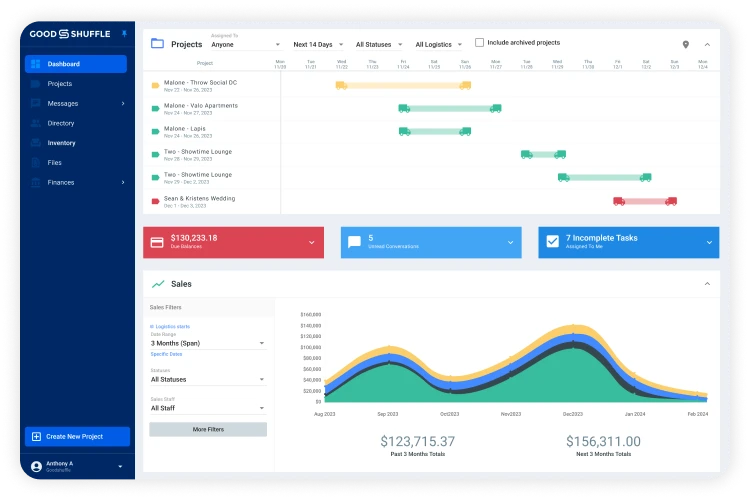
When you save an event on the free Google Calendar integration, only the calendar entries that changed get updated. Picture a festival with hundreds of deliveries and pickups. Move one delivery, and the calendar catches it in seconds.
Novedades: Goodshuffle Pro is running faster than it did at the start of the year, even with more of you running more events through it than ever. It builds on the speed work from August, and you’ll feel it the next time you log in.
Cómo acceder: If you already sync, there’s nothing to set up. To connect: Account Settings → Integrations → Get Started.
Quotes, contracts, and pull sheets in each teammate's language
Each teammate can pick English, Spanish, or French, and everything they print follows: quotes, contracts, and pull sheets, down to the category names. Pop-up warnings and barcode scanner messages switch too. Item names stay exactly how you typed them.
Por qué es importante: Your sales team can write the quote in English while your crew prints pull sheets in Spanish, which helps crews who work better in Spanish read the job the first time.
Cómo acceder: Click your name in the bottom left corner → choose your language. More in the language help article.
Service subcategories for entertainment and staffing
Under Service, you’ll now find Attendants, Characters, Greeters, Impersonators, and Models. Decor also has a new Streamers subcategory.
Por qué es importante: A princess for a fifth birthday or greeters for a corporate gala now sit in their own place in your inventario, where your team can find them.
Cómo acceder: Inventory → add or edit an item → Category → Service.
Select a run of rows in two clicks
On your inventory and events lists, click anywhere on a row to select it. Hold Shift and click another row, and everything in between is selected too. That means you can select 20 line items in two clicks.
Cómo acceder: Inventory or Projects → click a row → hold Shift → click the last row you want.
Early access is open in Australia
Event hire businesses in Australia can now get early access to Goodshuffle Pro. To be one of the first in the region, just agendar una demo.
(es-419) Español de América LatinaUn adelanto de lo que viene
Here’s one we showed at the User Summit.
- Cálculo de costos por proyecto: Set a budget for an event by category, log what you spend, and see gross margin and gross profit right on the Billing tab.
While Job Costing is on the way, the faster calendar is ready now. The next time a client moves a festival delivery, change it once and the calendar has it in seconds, one less thing to double-check when you’re wearing all the hats.
Descubre Goodshuffle Pro
Reserve una demostración para ver nuestro software para la gestión de eventos en acción.
Preguntas frecuentes
Sí, en todos los planes. Puedes sincronizar el calendario de la empresa o el calendario de tu propio proyecto, ya sea por horarios de eventos o por entregas y recogidas. Si ya lo tienes sincronizado, las actualizaciones más rápidas ya están en marcha. Para conectarte, ve a Configuración de la cuenta → Integraciones → Comenzar.
Yes. Each teammate clicks their name in the bottom left corner and picks English, Spanish, or French. The quotes, contracts, and pull sheets they print follow that choice, while item names print exactly as you typed them.
Item names and anything else you typed stay as written. What changes language is the software’s own text: document wording, category names, pop-up warnings, and barcode scanner messages.

Compartir en