



Table des matières
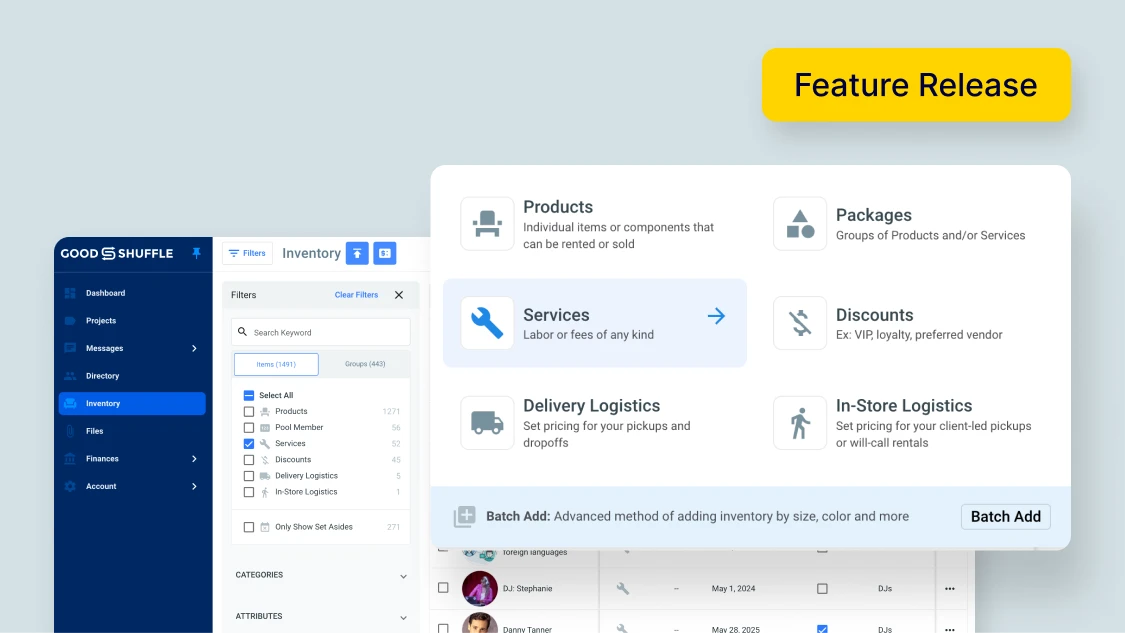
Services are an essential part of many event businesses. From setup crews to DJs, it’s often the people behind the scenes who make the magic happen.
So, in our latest Goodshuffle Pro update, we wanted to make it easier than ever to manage services, in addition to inventory.
To sum it up quickly:
- Categories: They’re now available for both products et services, so you can easily organize every part of your business.
- Attributes: Add detailed item info to better filter and sort your inventory et services.
- Conflict Detection: Automatically flags overbookings on signed projects, so you can handle conflicts fast.
There’s a lot more to unpack, so keep reading for the full scoop.
What Are Categories?
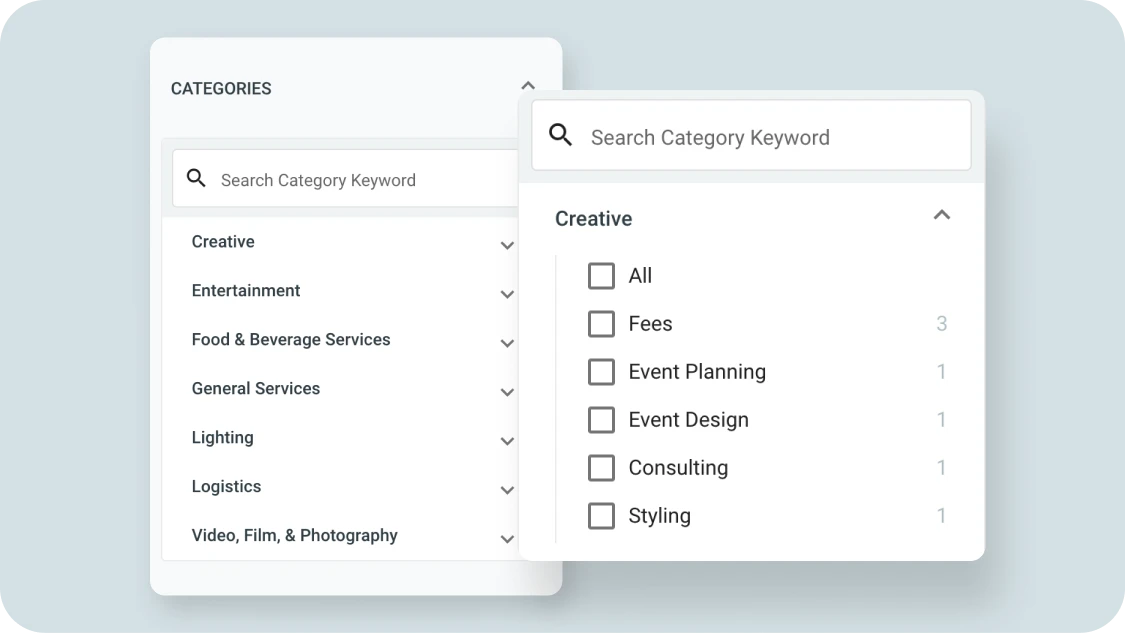
Let’s say you’re on the phone with a client and need to quickly sort through your service offerings to find the best fit for their needs.
If you’ve Categorized all of your services, it’s a breeze. You can sort by the entertainment Category, then select the appropriate Subcategory. You can then find the dancers and musicians you were looking for quickly, and are able to add them to the order.
We’ve got you covered for just about any Category and Subcategory you can think of. You can find a complete list of Goodshuffle Pro’s inventory categories ici.
What Are Attributes?
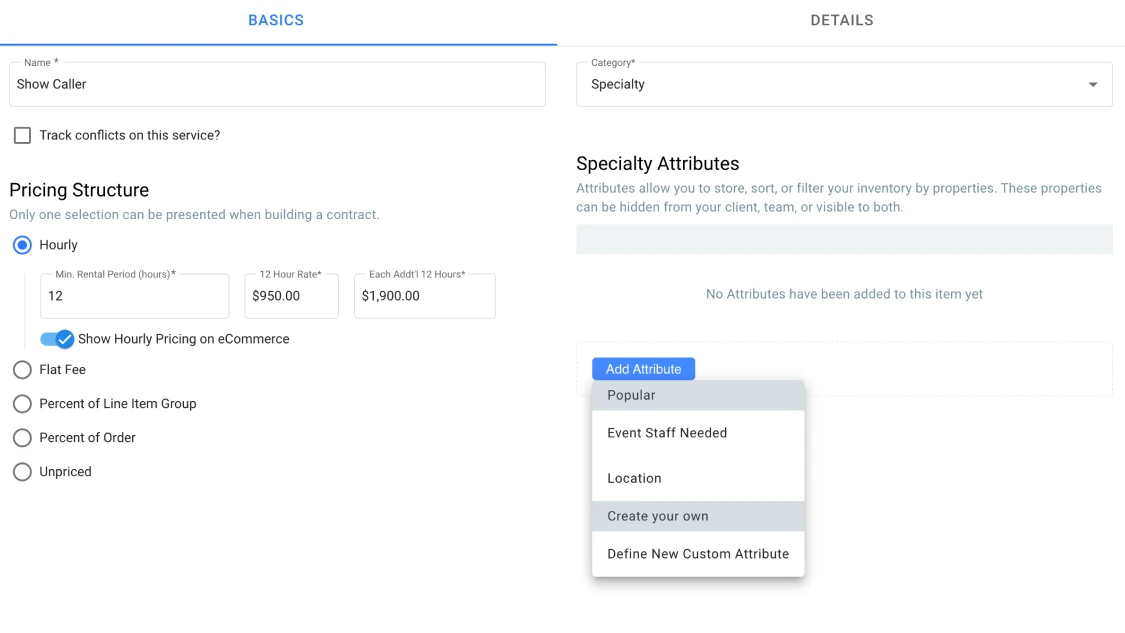
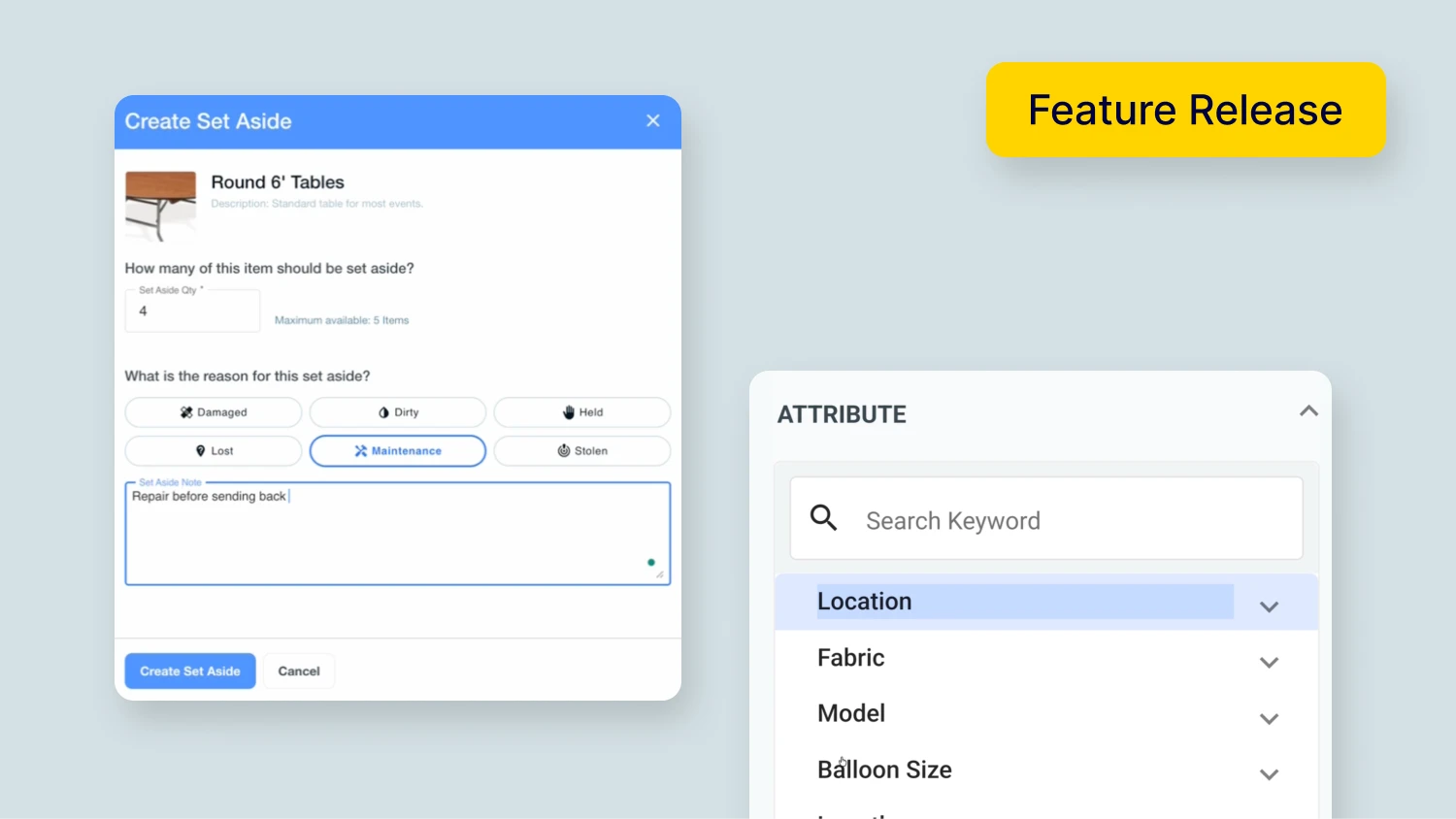
Attributes allow you to add even more detail to your inventory items. You can use them to describe your items or services, locate them, provide replacement sources, and more. You can even create Custom Attributes to suit your needs.
Plus, you can mark them as Internal Only if you don’t want them to appear on any client-facing documents.
In this video, we’ll walk you through how to use Attributes:
Adding attributes can also help with sorting, reporting, and building custom packages on your website.
Learn more about Attributes in our Help Center
What is Conflict Detection?
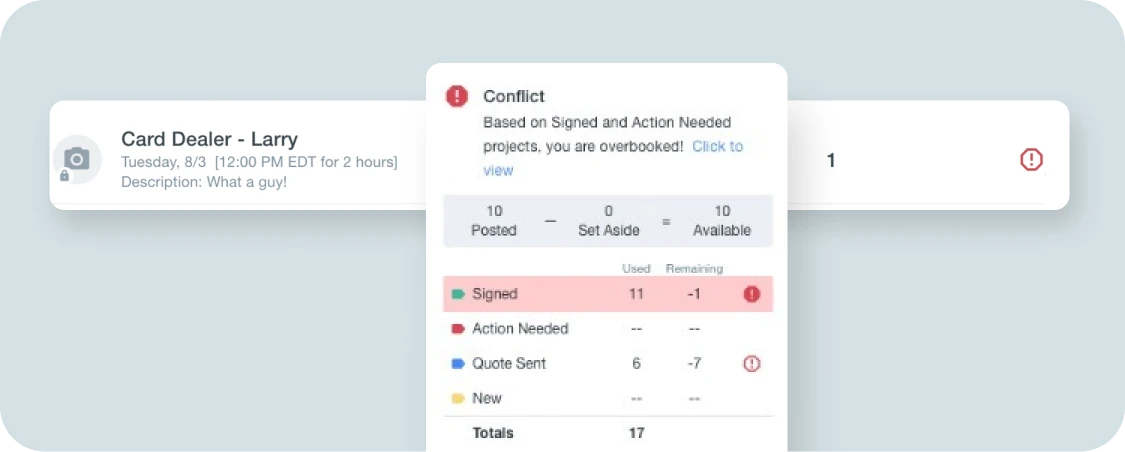
Knowing when inventory is and isn’t available is a key part of managing your event business.
That’s why we built Conflict Detection for Services into Goodshuffle Pro. Our system will flag a conflict if:
- You’re trying to add a quantity of a product or service that exceeds what’s available in your inventory.
- A certain quantity of the product or service was Set Aside due to temporary or permanent damage, leaving you with insufficient stock for this project.
- The quantity you’re trying to add is already reserved for another event happening at the same time.
You can view Conflicts in two places.
The first is at the bottom of your Dashboard when you’re on the Contract Tab of a Project.
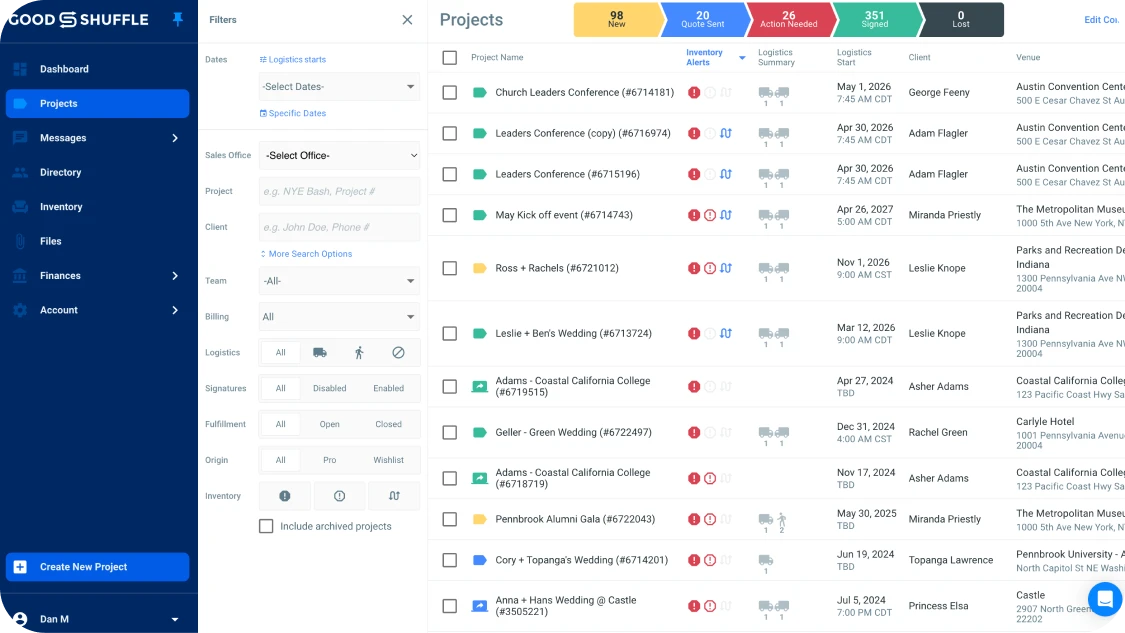
The second is within the Project’s Fulfillment Tab.
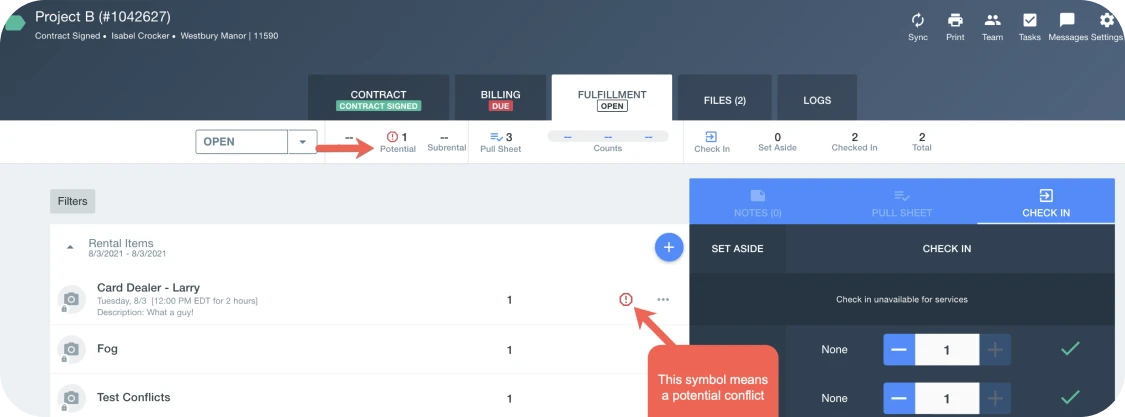
It’s important to note that Conflicts are calculated from signed projects. These contracts have been signed by the client and your items or services are officially overbooked. To learn more about Potential Conflicts, click here.
What’s Next?
We’re always making improvements to Goodshuffle Pro that make it easier for you to run your business. If you want to be the first to know about our latest updates, sign up for our newsletter.
And if you’re curious to learn what Goodshuffle Pro can do for your business, don’t hesitate to book a demo with one of our event experts.
Explorer Goodshuffle Pro
Réservez une démonstration pour voir notre logiciel d'organisation d'événements en action.

Partager sur










 English
  Español de México
  Français du Canada